ATS formatting
ATS-friendly resume format: a practical checklist
An ATS-friendly resume is one column of real text with standard section headings, the same date format on every role and contact details in the main body, saved as a text-based PDF or DOCX. Each row of the checklist below says whether Ruubu's free checker scores it, flags it on upload or leaves it to you.
Updated
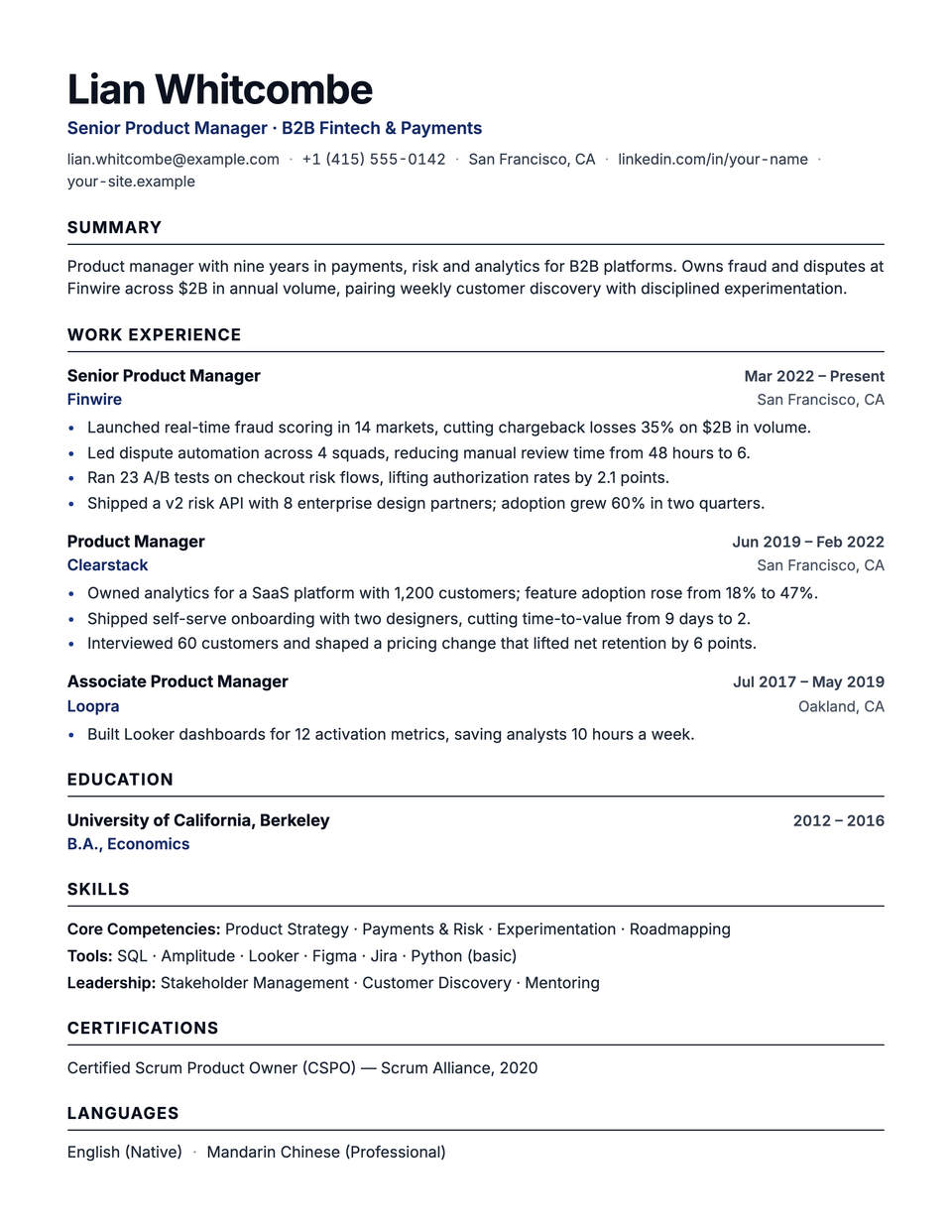
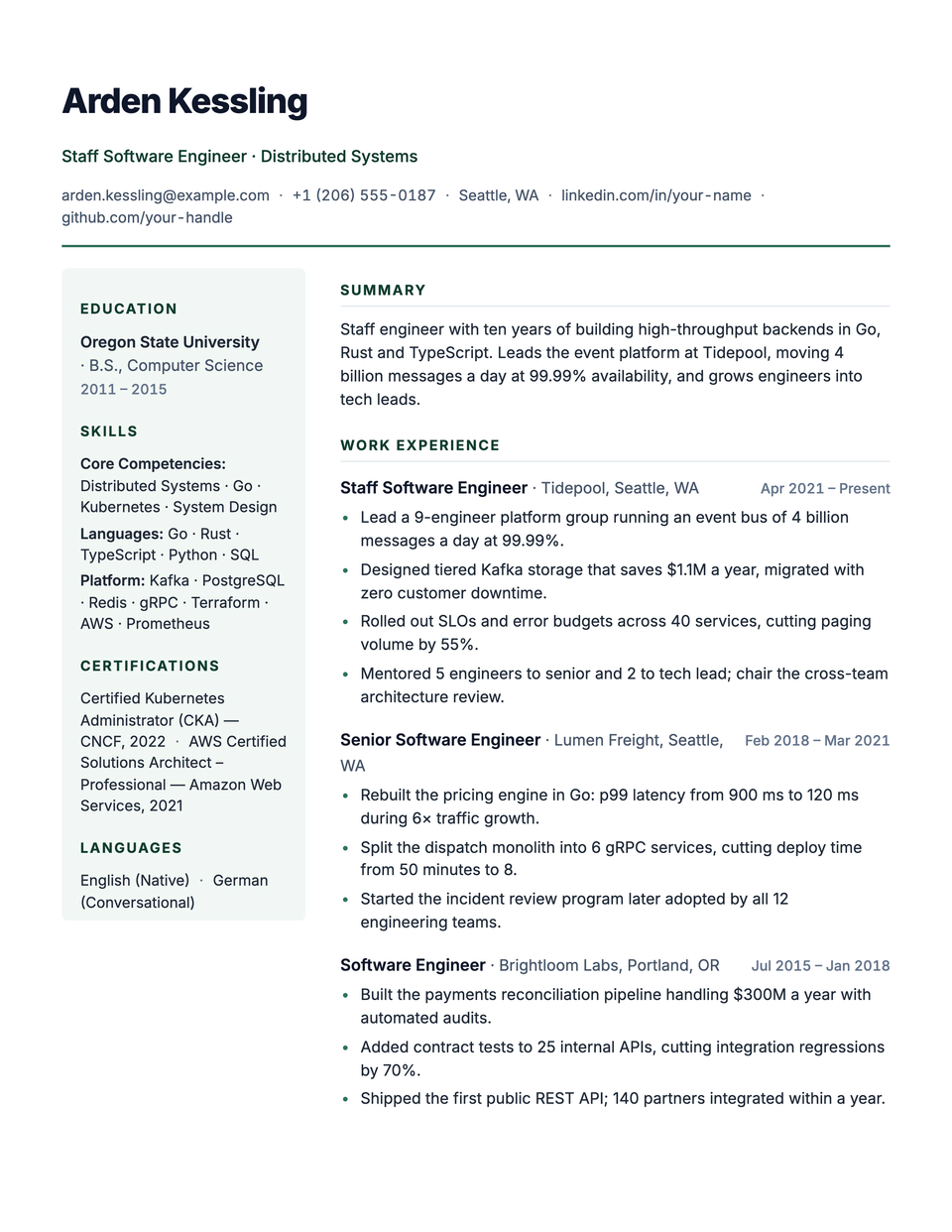
Download as PDF or Word
Download a PDF in Letter or A4 for sending, or a DOCX when an employer asks for Word. The PDF keeps your template; the DOCX keeps every word, ready to edit.
What makes a resume ATS-friendly?
Text a parser can read in order. That means one column, no tables or text boxes holding content, no icons in place of words, contact details in the main body, headings such as Experience and Education, and one date format on every role. Design can stay, as long as it does not carry information the text leaves out.
What should an ATS-friendly resume checklist cover?
15 items, from the file type to the font. Ruubu checks most of them for you: 10 rows are scored ATS checks, 3 are layout warnings the checker raises when you upload or paste a resume, and 2 are yours to confirm. The last column names the check behind each row, so nothing here is guesswork.
| Item | Why it matters | Checked by Ruubu |
|---|---|---|
| Save as a text-based PDF or DOCX | Scans and images hold no text to read. The checker accepts PDF, DOCX and TXT. | Not checked: your call |
| Use a single column | Parsers that read straight across the page mix side-by-side columns into one stream. | Flagged on upload or paste, not scored (Two columns) |
| Keep content out of tables | Table cells are often read in the wrong order, or skipped. | Flagged on upload or paste, not scored (Tables) |
| Write words, not icons | Icon fonts become stray symbols or vanish, taking their meaning with them. | Flagged on upload or paste, not scored (Icons and symbols) |
| Put contact details in the main body | Some parsers skip page headers and footers, so your name, email and phone belong at the top of the page itself. | Scored: Contact details complete Flagged on upload or paste, not scored (Page headers and footers) |
| Use standard section headings | Experience, Education and Skills tell the parser where each part starts; creative names may not be recognized. | Scored: Standard section headings |
| Give every role a start and end date | Dates build your timeline, and a role without them is hard to place. | Scored: Dates on every role |
| Use one date format, newest role first | Mixed formats and an unusual order confuse parsers and recruiters alike. | Scored: Consistent dates, newest first |
| List your skills and back them up | A skills section helps searches find you; bullets that show each skill in use make it credible. | Scored: Skills section depth, Skills backed by experience |
| Write a few clear bullets per role | Enough bullets to show the work, each short enough to scan. | Scored: 2-5 bullets per role, Bullet length in range |
| Show results with numbers | Percentages, amounts and counts make an outcome concrete. | Scored: Bullets include measurable results |
| Start bullets with action verbs | Bullets that open with what you did read stronger than “responsible for”. | Scored: Bullets use strong action verbs English, Turkish, German, French, Spanish and Portuguese resumes |
| Keep it to one or two pages | Recruiters skim, so the space should go to your recent roles. | Scored: Length fits one to two pages |
| Use the words from the job | Recruiters search for the role's titles and skills; include the ones you really have. | Scored: Target role keywords present In the editor, with a target role |
| Pick a standard, readable font | Standard fonts convert to text reliably, and very small text is hard to read on screen and on paper. | Not checked: your call |
Which layout elements break ATS parsing?
4 common culprits: tables, side-by-side columns, icon fonts and page headers or footers. They look fine on screen but change the order or the content of the text a parser extracts. Ruubu's checker flags all 4 when you upload or paste a resume, and the fixes below keep the design while removing the risk.
Tables
Many parsers read a table cell by cell, row by row, so a skills grid or a contact row can come out in the wrong order.
- Do
- Write skills as one short, comma-separated line per group.
- Avoid
- Skills, dates or contact details inside table cells.
Two columns
A parser that reads straight across the page mixes the left and right columns into one stream of half sentences.
- Do
- Use one column and let headings and spacing carry the design.
- Avoid
- Experience running beside a sidebar of skills or contact details.
Icons and symbols
Icon fonts turn into stray characters or vanish, so a phone number or email shown only with an icon can lose its label.
- Do
- Spell out Email, Phone and LinkedIn, or show the values on their own.
- Avoid
- Icons in place of words.
Page headers and footers
Some parsers skip the header and footer areas, and lines such as Page 1 of 2 end up in the middle of your text.
- Do
- Keep your name and contact details in the main body of the page.
- Avoid
- Contact details only in the page header or footer.
Two columns, read straight across
This is how a sidebar resume comes out when a parser reads each line across both columns: the skills run into the summary and the job titles. See the full parser view.
Juniper Tsao
Senior Product Manager | B2B Fintech | Cut fraud losses 35% on $2B volume

CONTACT                           SUMMARY
juniper.tsao@example.com          Senior Product Manager with nine years building payments and
+1 (415) 555-0142                 analytics products for B2B platforms. Owns a fraud product area
San Francisco, CA                 covering $2B in annual volume across 14 markets, pairing weekly
https://linkedin.com/in/your-name    discovery with disciplined experimentation.

SKILLS                            EXPERIENCE
Product Strategy                  Senior Product Manager, Finwire
Payments                          Mar 2022 – Present
Product Analytics                 - Launched a real-time fraud scoring product across 14 markets,
SQL                                 cutting chargeback losses 35% on $2B in annual payment volume.
Sample (fictional, English resume)
Which section headings should I use?
The plain ones: Summary, Experience, Education and Skills, plus Certifications, Languages or Projects when you have them. Parsers look for these words to know where each section starts. Ruubu's headings check also accepts common variants and the same headings in many other languages, so you can write in your own.
- Summary
- Experience
- Education
- Skills
- Certifications
- Languages
- Projects
Shown as Ruubu's templates print them in this language.
How should I format dates on a resume?
Month and year for every role, in one format throughout, such as Mar 2022 – Present, with the newest role first. Ruubu scores both: one check looks for a date on every role, another for a single format in reverse order. Long gaps between roles are flagged too, with a low weight.
- Do
- Mar 2022 – Present · Jun 2019 – Feb 2022
- Avoid
- Spring 2022 – now · 6/19 – 2/22
Should I send a PDF or a Word file?
Either works when the text is real and selectable, so send a text-based PDF unless the posting asks for Word, and never a scan or a photo of the page. Ruubu exports a text-based PDF on every plan, with a small Ruubu mark on the Free plan, and DOCX with Resume Pass or Pro.
Do fonts, colors and photos matter for an ATS?
Fonts and colors rarely change what a parser reads, as long as the text is real; pick a standard font and a normal size, and Ruubu's editor warns you when text gets very small. Photos are a question of market: expected in parts of Europe, usually left off in the US and UK. Ruubu labels every photo layout.
Adjust fonts and spacing in the resume design studio or compare the templates.
How do I check my resume against this list?
Upload or paste it into Ruubu's free checker. You get a score out of 100 from 14 checks, a fix for each one that loses points, and a warning if the file uses a table, columns, icons or page headers. No account is needed, and the text is kept for 7 days unless you save it.
Upload or paste
A PDF, DOCX or TXT file, or the text itself.
Read the score
A score out of 100, every check, and a layout warning if there is one.
Fix and check again
Each check that loses points tells you the change to make.
Common ATSs and what Ruubu does on each
The checklist above is what every applicant tracking system needs. Beyond reading your resume, Ruubu helps on the systems themselves: it reads their job links, and Ruubu for Chrome fills their forms from your resume, after a preview, on the 34 systems below.
| System | Job link | Autofill | Submit | Multi-step |
|---|---|---|---|---|
| Greenhouse | Yes | Yes | Yes | No |
| Workday | Yes | Yes | No | Yes |
| Lever | Yes | Yes | Yes | No |
| Ashby | Yes | Yes | Yes | No |
| SmartRecruiters | Yes | Yes | Yes | No |
| BambooHR· Beta | Yes | Yes | No | No |
Show all 34 systemsShow fewer
| System | Job link | Autofill | Submit | Multi-step |
|---|---|---|---|---|
| Workable· Beta | Yes | Yes | No | No |
| Recruitee· Beta | Yes | Yes | No | No |
| Personio· Beta | Yes | Yes | No | No |
| Teamtailor· Beta | Yes | Yes | No | No |
| iCIMS· Beta | No | Yes | No | No |
| Taleo· Beta | No | Yes | No | No |
| SAP SuccessFactors· Beta | No | Yes | No | No |
| Jobvite· Beta | No | Yes | No | No |
| softgarden· Beta | No | Yes | No | No |
| Oracle Recruiting Cloud· Beta | No | Yes | No | Yes |
| Paylocity· Beta | No | Yes | No | Yes |
| Paycom· Beta | No | Yes | No | No |
| Paycor· Beta | No | Yes | No | No |
| JazzHR· Beta | No | Yes | No | No |
| Breezy HR· Beta | No | Yes | Yes | No |
| Rippling· Beta | No | Yes | No | No |
| Dover· Beta | No | Yes | No | No |
| Gem· Beta | No | Yes | No | No |
| Pinpoint· Beta | No | Yes | Yes | No |
| Comeet· Beta | No | Yes | No | No |
| Eightfold· Beta | No | Yes | No | No |
| Avature· Beta | No | Yes | No | No |
| Cornerstone· Beta | No | Yes | No | No |
| d.vinci· Beta | No | Yes | No | No |
| onlyfy· Beta | No | Yes | No | No |
| Homerun· Beta | No | Yes | No | No |
| Factorial· Beta | No | Yes | Yes | No |
| Kenjo· Beta | No | Yes | Yes | No |
Names and logos belong to their owners. Ruubu is not affiliated with or endorsed by them. Details
What else do people ask about ATS-friendly formatting?
Quick answers to the formatting questions we hear most: columns, tables, headers and footers, icons, skill bars, photos, headings, job entries, acronyms, fonts, colors and file types, plus a reading-order test you can run yourself. Each answer says what tends to go wrong in parsing and what to do instead.
Are two-column resumes ATS-friendly?
Often not. Many parsers read straight across the page, so the left and right columns mix into one stream of half sentences. Ruubu's checker warns when a file looks like two columns. If you want a sidebar, keep your experience in one column and check the file before you send it.
Can I use tables on an ATS resume?
Avoid them for content. Table cells are often read one by one in an order you did not intend, and some parsers skip them. Write skills as a comma-separated line per group instead. The checker flags text that looks like a table.
Should my contact details go in the page header?
Put them in the main body, at the top of the first page. Some systems skip the page header and footer, so a name or phone number placed there can go missing.
Do icons hurt ATS parsing?
They can. Icon fonts often turn into stray symbols or disappear, and a phone number marked only with an icon loses its label. Write Email, Phone and LinkedIn as words, or show the values on their own.
Do skill bars and star ratings work on an ATS resume?
Not as information. A bar or a row of stars is a graphic, so a parser reads nothing from it, and a recruiter cannot tell what four out of five means. Write the skill as text and, if the level matters, add a plain word such as advanced or fluent.
Should I put a photo on my resume?
It depends on the market. In the US and UK most applicants leave it off; in parts of Europe a photo is common. A photo does not stop a parser from reading the text, but keep your details outside the image. Ruubu labels its photo layouts.
Do section headings really matter?
Yes. Headings are how a parser knows where Experience ends and Education begins, and creative names such as My Journey may not be recognized. Ruubu's headings check flags non-standard names and suggests the standard one.
How should each job entry be laid out?
The same way every time: job title, employer, location and dates, in the same order and the same date format for every role. A consistent pattern lets a parser match each date to the right job. Ruubu's checker flags a role without dates and a mix of date formats.
Should I spell out acronyms?
Once. Recruiters may search for either form, so write Search engine optimization (SEO) the first time and SEO after that. Skip in-house shorthand such as Mgr or Ops: neither a search nor a reader outside your team will match it.
Which font and size should I use?
Any standard font that embeds properly, such as Calibri, Arial, Helvetica, Garamond or Georgia. Body text usually reads best at 10 to 12 points. Decorative fonts are more likely to come out as the wrong characters when the text is extracted, and Ruubu's editor warns you when text gets very small.
Can I use color on an ATS-friendly resume?
Yes. Color in headings, lines or a name band does not change the text a parser extracts. Keep the text dark enough to read, and never put information only in a color or a graphic.
Which file type should I upload?
A text-based PDF or a DOCX, unless the posting asks for something else. Avoid scans and images: there is no text in them to read. Ruubu's checker accepts PDF, DOCX and TXT.
Can I test the reading order myself?
Yes. Open your PDF, select all the text and paste it into a plain text editor. If the lines come out in the wrong order or characters are missing, a parser may struggle too. Ruubu's free checker also flags tables, columns, icons and page headers when you upload the file.
Where should I go next?
To see how a parser reads a resume, start with the ATS toolkit. To build a resume that follows this checklist from the start, use the ATS resume builder. To test the one you have, run the free checker. The guides and example resumes below show the same rules applied.
Related
- ATS toolkit: how an ATS reads your resumeThe parser view, 14 checks and ATS-safe templates
- ATS resume builder42 templates marked ATS-safe
- Free ATS resume checkerA score out of 100, with a fix for each check
- ATS resume myths, debunkedWhat really trips a parser
- How to write an ATS-friendly summaryThe opening lines a recruiter reads first
- Product manager resume exampleA one-column sample with measurable results
- Data analyst resume exampleSkills backed by the bullets that use them
Is your resume ready for an ATS?
Run it through the checklist in one go. The free checker scores your resume out of 100 on 14 checks, warns you about tables, columns, icons and page headers, and tells you what to change for each check that loses points. It takes one upload and no account.