AI headshots
AI Headshot Generator for Professional LinkedIn and Resume Photos
Turn 1–5 everyday selfies into polished, studio-quality portraits that still look like you. Choose the attire, background and light, preview every result, then place the best one straight into your resume or set it as your LinkedIn photo. Minutes at your desk instead of a booked photo shoot.
Included in Resume Pass and Pro. Not a passport or ID photo.
- Still looks like you
- Your face, features, skin tone and glasses stay. Attire, background and light change.
- Ready in minutes
- Upload from your computer, or scan the QR code on screen to send selfies from your phone.
- Already in your resume
- One click places it in the Profile or European template, or download it for LinkedIn.
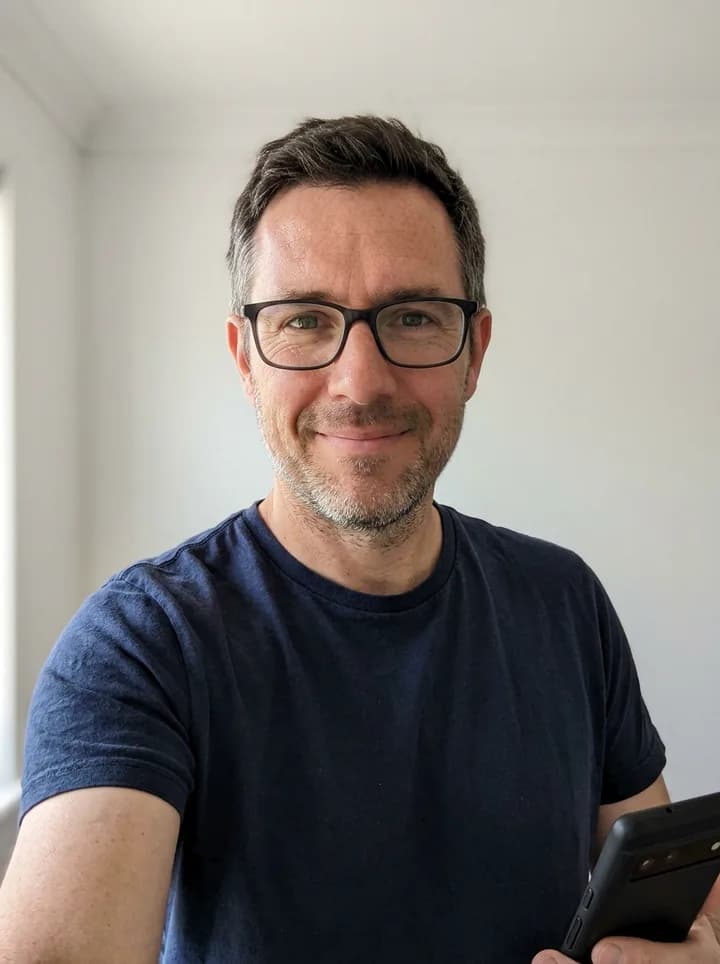
Input selfie
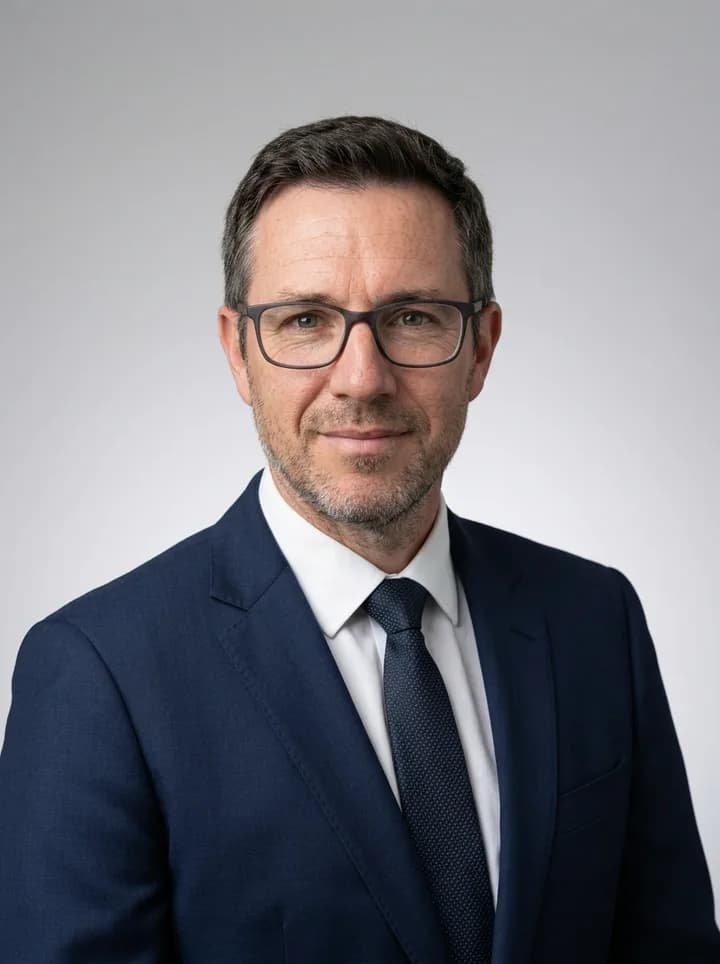
Corporate

Office
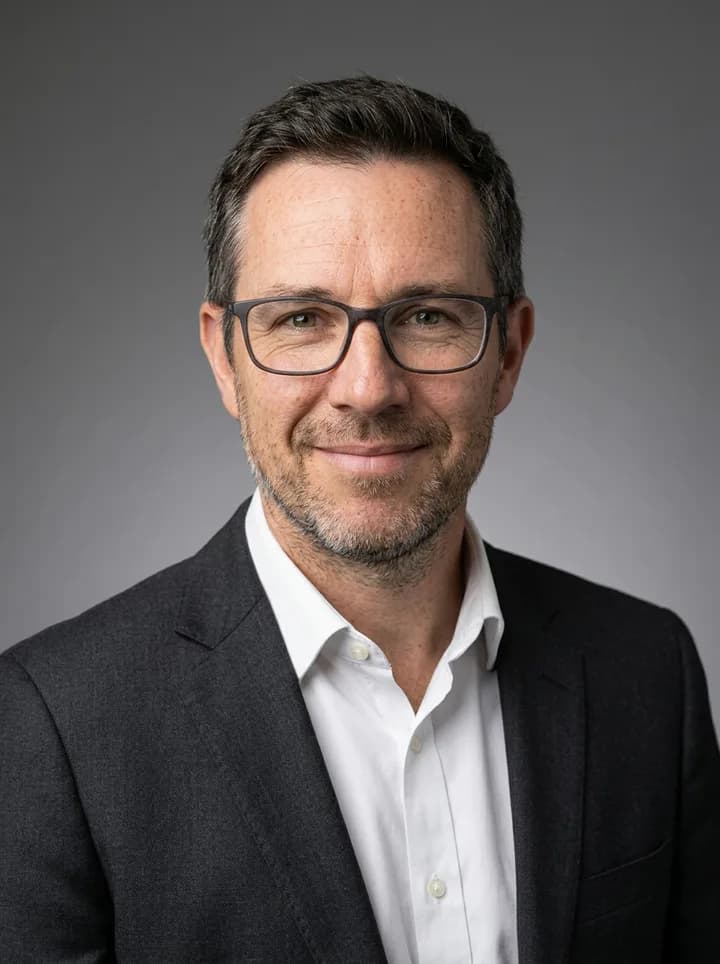
Studio
Sample results
One synthetic sample person, run through the same pipeline your photos go through: the input selfie first, then a portrait in each style.
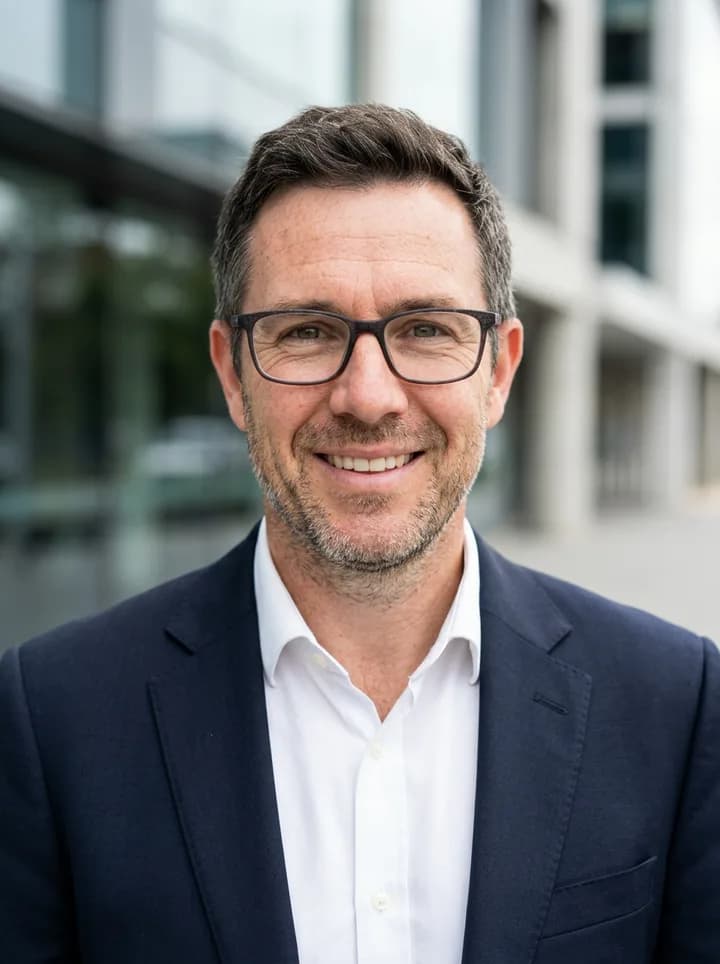
Outdoor
How it works
From selfies to a resume-ready portrait in three steps
Upload 1–5 selfies
Clear, recent photos of your face, one person per photo. Upload them from your computer, or scan the QR code on screen and send them straight from your phone. Each photo is checked as it arrives, so you know at once if one will not work.
Pick a style or describe it
Choose corporate, office, studio or outdoor, then the attire and a colour or black-and-white finish. Or describe it yourself in up to 600 characters, such as “at a desk, blue shirt”.
Preview, then use it
Your portraits are ready in a few minutes. Keep the best, regenerate the ones you want to change, then insert one into your resume in a click or download it for LinkedIn.
Four styles, colour or black and white
Every style keeps your face and changes only the setting around it.
Corporate
Neutral backdrop, soft even light, business attire. The safe choice for finance, law and consulting.
Office
A softly blurred modern workplace behind you. Reads as approachable and current.
Studio
A clean studio backdrop with gentle contrast. Works in any resume photo template.
Outdoor
Natural daylight with greenery or a city softly out of focus. Good for creative and client-facing roles.
- Attire
- Suit or blazer, smart casual, or keep the clothes you are wearing.
- Colour or black and white
- Pick the finish per session; black and white suits classic and editorial templates.
- Describe it yourself
- Up to 600 characters about background, clothing or mood. Requests to change your face, age or ethnicity, or to add other people, are refused.
Resume Pass includes 3 preset styles; Pro includes all 4.
What makes a good selfie
Better selfies make better portraits, and five minutes by a window is enough. If your best photos are on your phone, scan the QR code on the upload screen and send them straight from it.
Do
- Face a window: soft daylight, no harsh shadows
- Camera at eye level, an arm's length away or more
- Recent photos that look like you today
- Two or three slightly different angles or expressions
- Your whole face visible, sharp and in focus
Avoid
- Sunglasses, masks or hands over your face
- Beauty filters or heavy edits
- Group photos or other faces in the frame
- Caps or hair that hide your eyes
- Dark, blurry or very small photos
Does it look like me?
It should, and that is checked at every step. Ruubu edits the photo around your face instead of inventing a new one: face shape, features, skin tone, eye colour, hairline, facial hair and glasses stay as they are. Only attire, background, light and framing change, and you choose which portraits to use.
The LinkedIn rule of thumb
Your profile photo should look like you on a video call today. If a portrait looks smoother, younger or thinner than you, regenerate it or pick another one.
Checked before you see it
Each portrait is checked automatically for a single clear face and visible defects. Failed attempts are redone at no cost to your session.
Not for passports or ID
An AI headshot is an edited image, not a biometric photo. Do not use it for passports, ID cards, visas or any other official document.
Privacy
Privacy: what happens to your photos
Your selfies and portraits are stored privately and deleted automatically after 30 days, or immediately when you choose “Delete now”. They are not used to train AI models, and Ruubu does not create face templates or use your photos to identify you.
Deleted after 30 days
Selfies and generated portraits are removed on schedule. A portrait you insert into a resume stays with that resume until you remove it.
Delete now, any time
Delete one session or everything from your settings. Deleting your account removes them too.
Not used for training
The model providers process your photos only to make your portraits and do not use them to train their models.
No biometric identification
No face templates, no matching against databases, no age estimation.
Named sub-processors
Images are generated through OpenRouter with Google and OpenAI models. The privacy policy lists every sub-processor.
Before your first session you confirm that you are 18 or older and that the photos are of you.
AI headshot or photographer?
Both have a place. Here is the honest comparison.
Should your resume have a photo?
It depends on the country. A photo is customary in Germany, Austria, Switzerland, France, Spain and Türkiye, although it is not legally required in France or Germany. In the US, UK, Ireland and Brazil, leave it off your resume: employers there discourage photos to avoid bias, while LinkedIn still expects one.
Applying where a photo is expected? Use the Profile template (round photo) or the European template (3:4 portrait).
One platform
Your photo is step one. Ruubu covers the rest of the search.
Ruubu is one platform for your whole job search: create your professional photo, build and redesign your resume, optimize it for each job posting, and track listings and applications, so you apply a step ahead of other candidates.
A professional photo
Studio-quality portraits for LinkedIn and your resume, made from your own selfies.
A resume built to be read
Build it in the editor and redesign it in one click across 35+ templates, with an ATS score that updates as you edit.
Resume builderOptimized for each posting
Paste a job link to see which keywords your resume is missing. With Pro, generate a tailored version for that job.
Job Link OptimizerListings and applications, tracked
With Pro, get job matches scored against your resume every week and keep every application in one tracker.
Job tracking
What's included
AI headshots are part of both paid plans.
| Feature | Resume Pass$7.99/mo | Pro$19.99/mo |
|---|---|---|
| New session | Every 14 days | Every 7 days |
| Portraits per session | 2 | 3 |
| Regenerations per session | 3 | 5 |
| Preset styles | 3 + your own description | 4 + your own description |
| Download size | 1080 px | 2048 px |
Downloads are labelled as AI-generated in the image metadata.
FAQ
AI headshot questions
Are AI headshots allowed on LinkedIn?
Yes, as long as the photo is a recognisable, current picture of you. LinkedIn expects your profile photo to show your real likeness, so a portrait that changes your face does not belong there. Your features are kept; only attire, background and light change.
How many selfies do I need?
One is enough; three to five work best. Different angles and expressions give the model more to work from. Each photo is checked as it uploads, and you can replace any that will not work.
Will it look like me?
That is the point. Your face shape, features, skin tone, hairline and glasses are kept; only the setting changes. If a portrait does not look like you, regenerate it within your session.
Can I use it on my resume?
Yes. Insert a portrait into the Profile or European template in one click, or download it in 1:1 or 3:4. Add a photo only where it is expected: for US, UK and Irish applications, leave it off.
Is my photo stored or used to train models?
Your selfies and portraits are stored privately and deleted after 30 days, or sooner if you delete them. They are not used to train AI models, and no biometric face templates are created.
AI headshot vs photographer: which is better?
A photographer gives you a real photo with direction, which matters for press and executive bios. An AI headshot is faster and already part of your plan, which suits profile and resume photos. Many people use AI first and book a shoot when they need one.
Guides
Related tools
Your headshot, already in your resume
Upload a few selfies, pick a style and leave with a portrait that looks like you on a good day, already placed in your photo template.