A job application tracker that keeps itself up to date
Save a job and Ruubu follows it. The card moves to Applied when the site confirms your application, interview invites from LinkedIn and candidate portals move it on, closed postings are flagged, and applications that go quiet get a badge. Every automatic change can be undone.
Automatic tracking on every plan, including free. Free board for up to 25 applications, no limit with the Resume Pass and Pro.
What does an automatic job application tracker do?
It updates your applications from what it can see, so you don't drag every card by hand. Ruubu moves a card to Applied when a job site confirms your submission, reads your LinkedIn Applied list and four candidate portals, checks whether postings are still open, and never applies a rejection without your click.
You can switch automatic tracking off in Settings. Then nothing moves by itself.
What Ruubu does on its own, and what waits for you
What Ruubu sees
What happens on your board
You submit an application and the site shows its confirmation (Ruubu for Chrome)
The card moves to Applied, with Undo. With only one of the two signals, Ruubu asks first
Your LinkedIn Applied list
Saved jobs you applied to move to Applied
An interview status on Workday, MyGreenhouse, SmartRecruiters or iCIMS
The card moves to Interview, with Undo
A portal page that says Not selected
A suggestion only. You decide
The posting is closed
Saved card: archiving suggested, archived after 14 days closed. Applied card: a note only
No news for 21 days, then 45 days
A Quiet badge, then a move to No response, with Undo
How it works
How the tracker follows your applications
These screens come from a sample account. The person, the companies and the numbers are invented.
1
Apply, and the card moves by itself
Save jobs from the Ruubu for Chrome button, your job matches, the apply flow or by hand. After you submit an application, Ruubu marks the card Applied when the confirmation page appears.
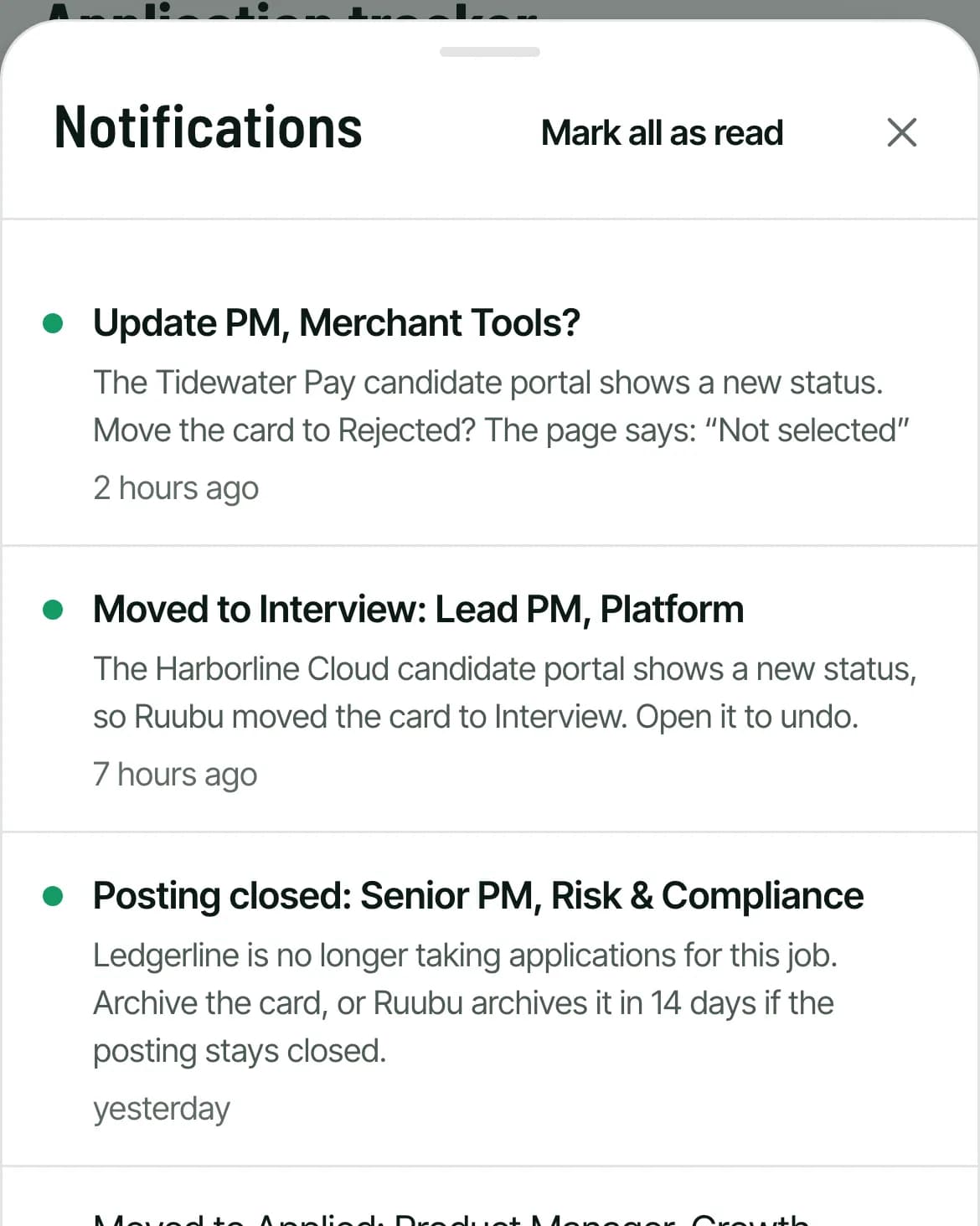
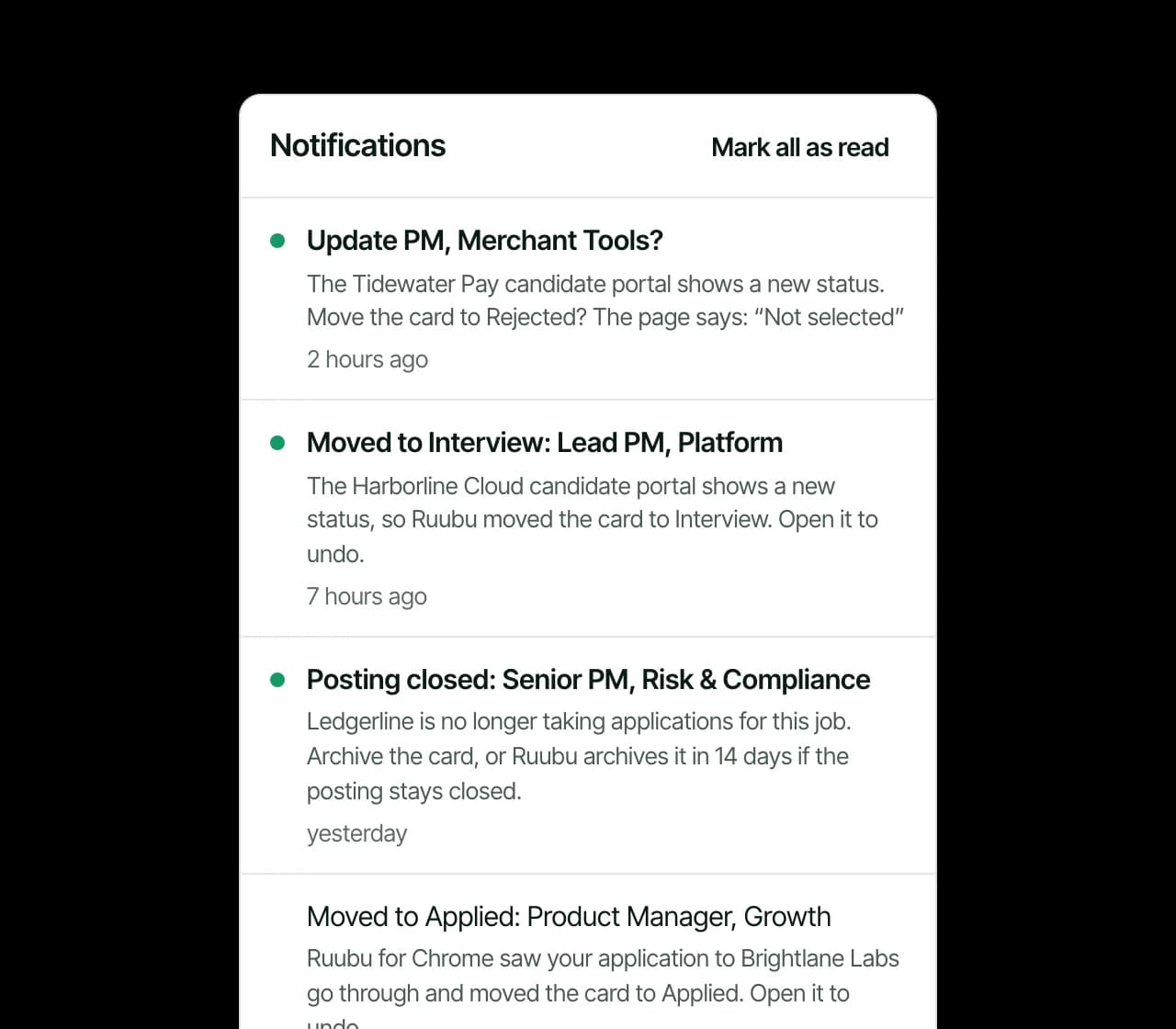
Interview statuses on LinkedIn and candidate portals move cards too
Every change lands in the notification bell
Each notice links straight to its card
Sample
2
Every change is on the card, with Undo
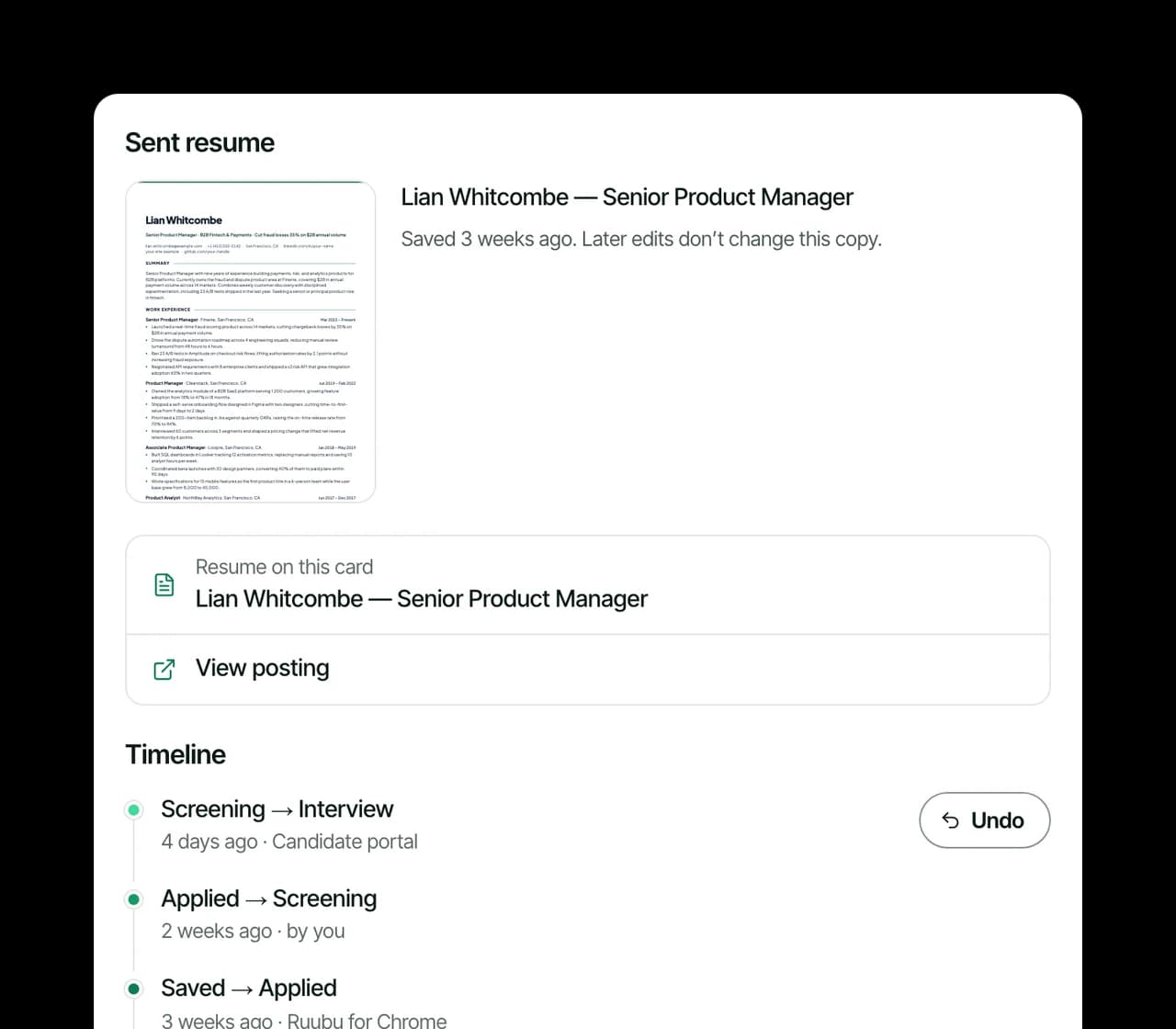
Open a card to see its timeline: what moved it, when, and whether it was you, Ruubu for Chrome or a candidate portal.
Any automatic move can be undone
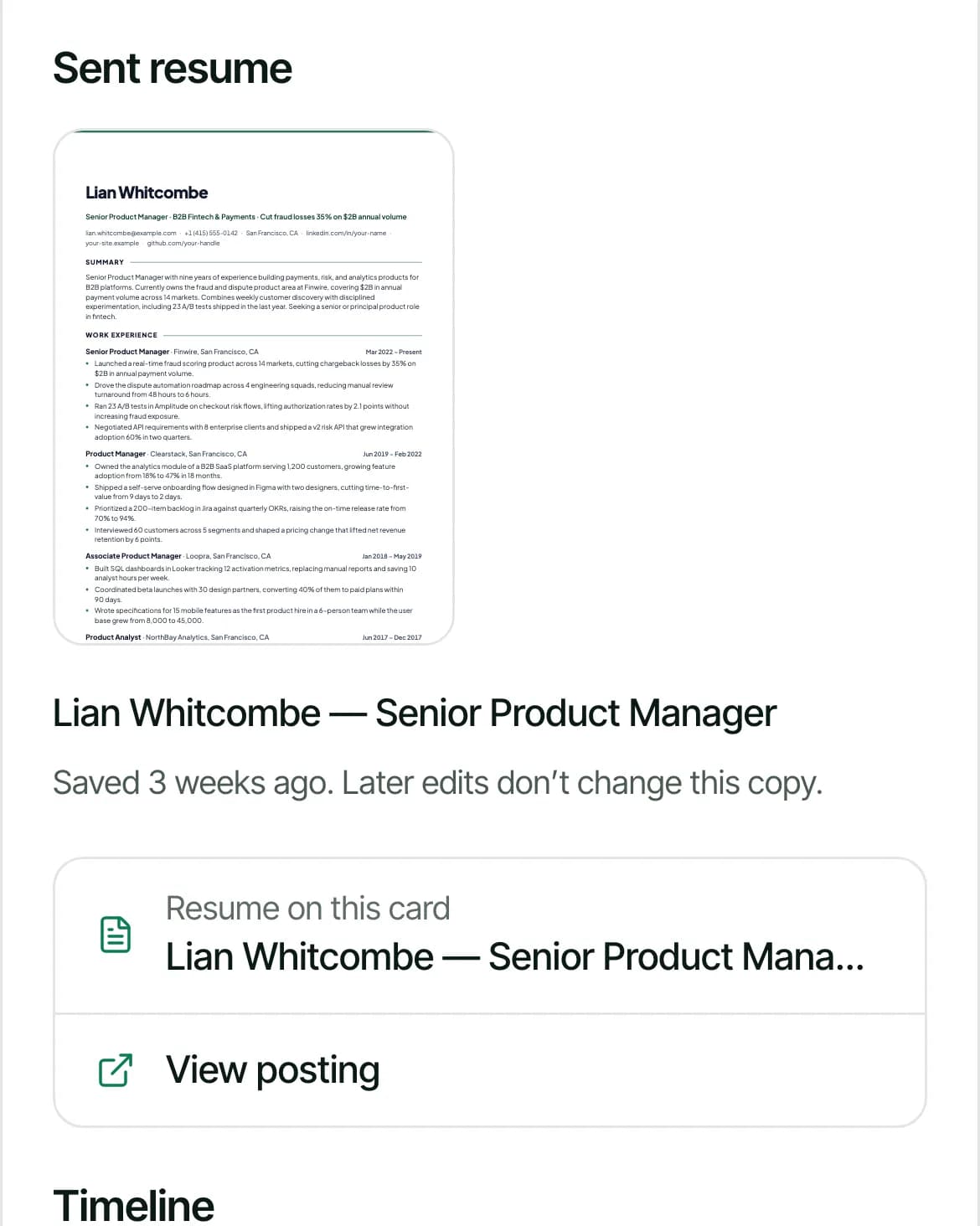
When a card first moves to Applied, Ruubu keeps a copy of the resume you sent
Later edits don't change that copy
Sample
3
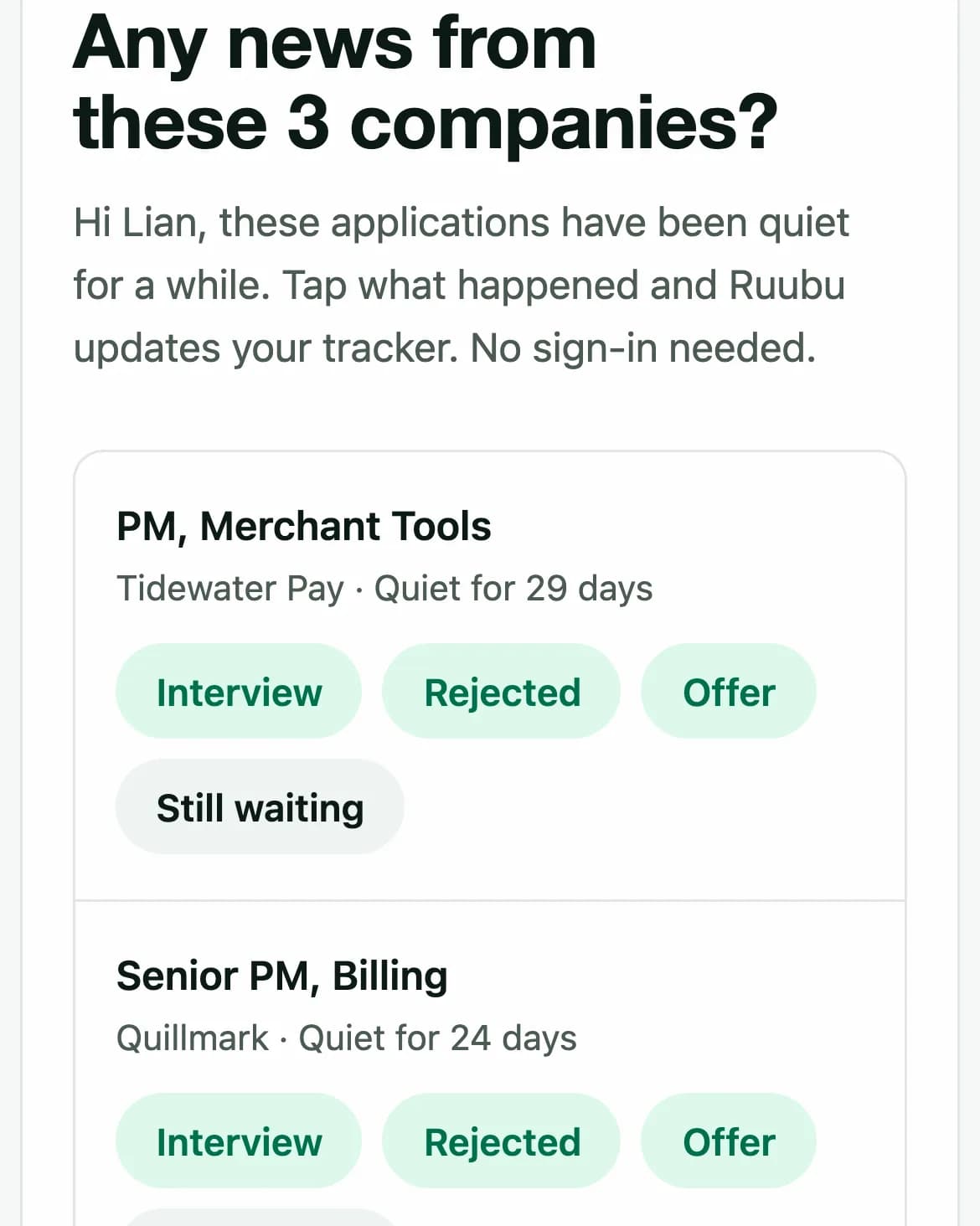
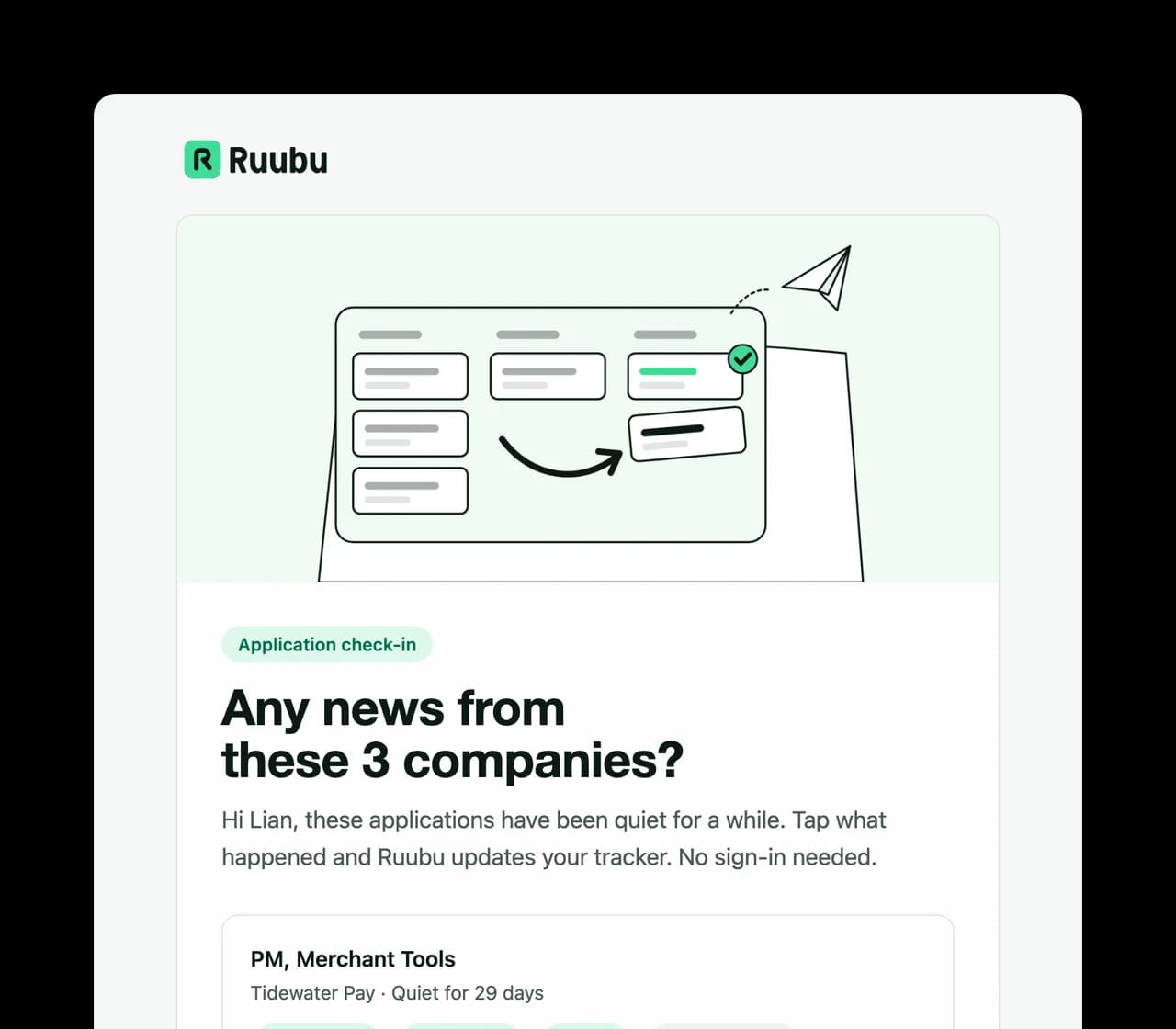
Answer "Any news?" from your inbox
Turn on the weekly e-mail and Ruubu lists up to 5 applications that have been quiet for at least 7 days, each with four buttons: Interview, Rejected, Offer and Still waiting.
A button opens a page where you confirm the update
No sign-in needed
The e-mail is off until you switch it on
Sample
4
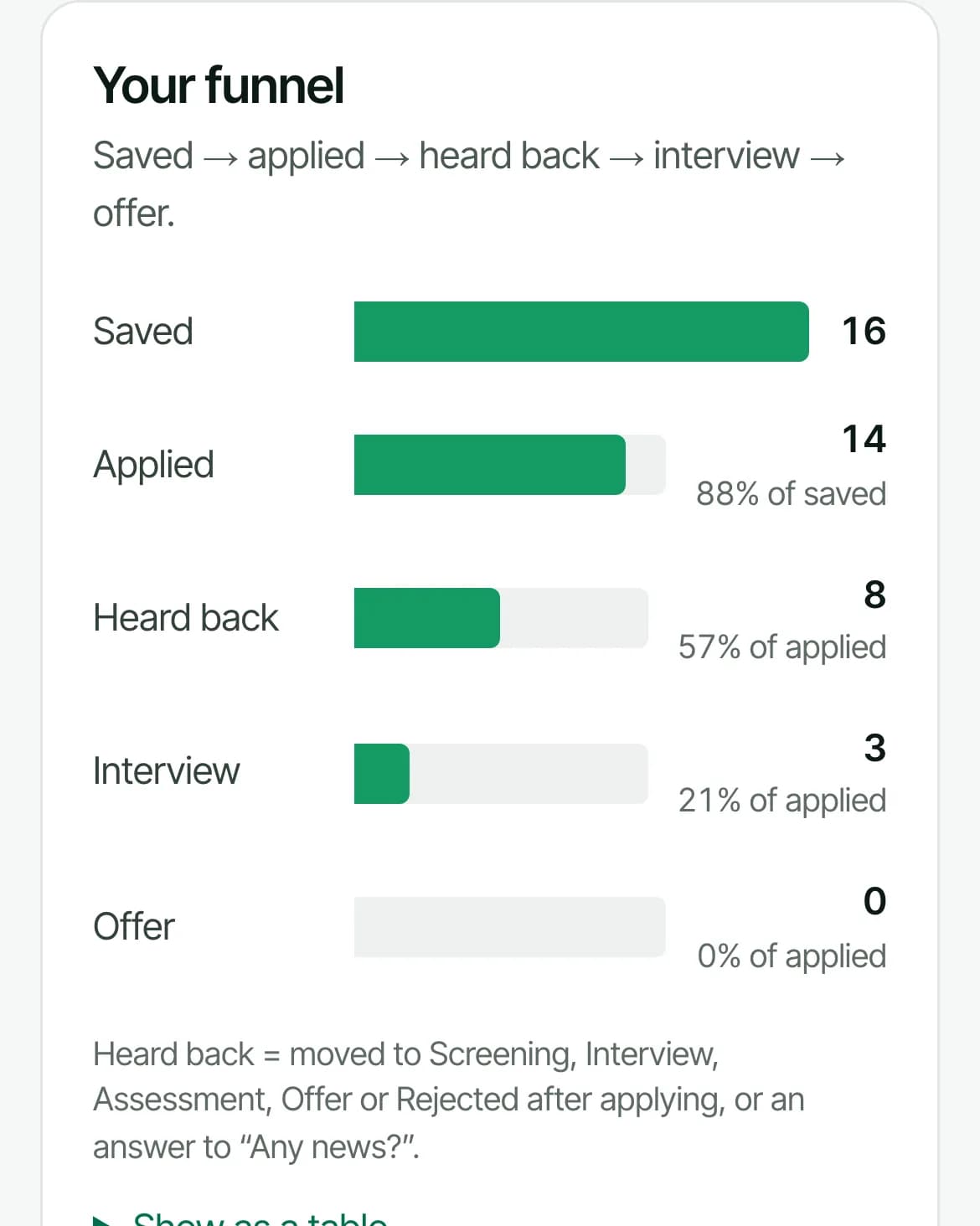
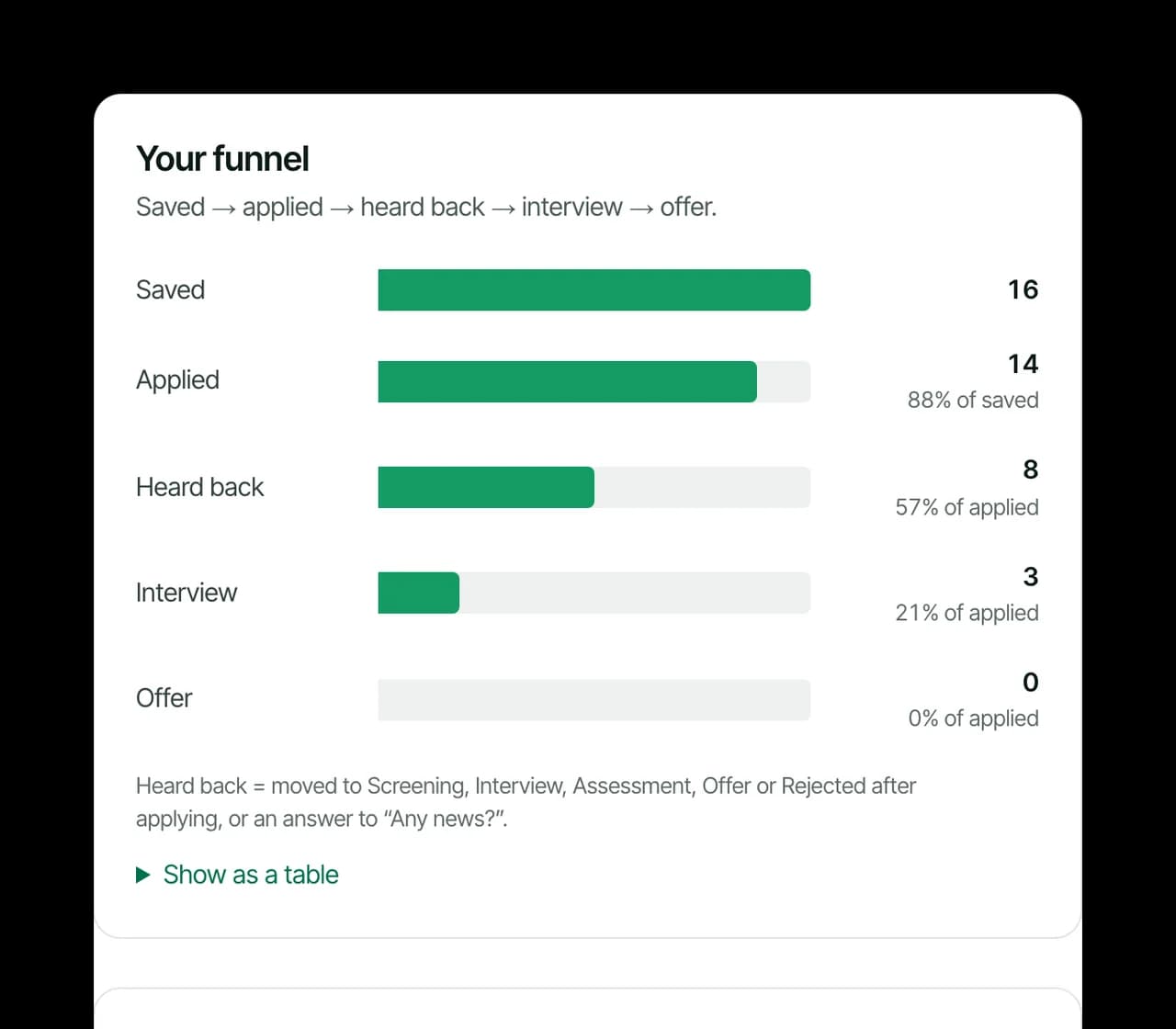
See what's working
Insights counts your funnel from the board: saved, applied, heard back, interview and offer.
Response rate, interview rate and median days to a first reply
Split by resume version, source, country and Career Profile use
Rates appear once 10 applications are at least 21 days old, so a few early answers don't swing them
Sample
Sample
What the tracker gives you
Ten stages, close to real hiring
Saved, Applied, Screening, Interview, Assessment, Offer and Rejected sit on the board. No response, Withdrawn and Archived fold away under Closed.
The resume you actually sent
The resume on a card is frozen the first time it moves to Applied. Weeks later you can still read exactly what the recruiter has.
"Did you apply?"
Open a saved job from Ruubu and the board asks the same day. One click moves the card to Applied.
Closed postings flagged
Ruubu checks open postings every few days without AI. A site it can't reach never counts as closed.
Skills your target jobs keep asking for
Insights lists skills that at least 2 of your saved or active jobs ask for and that aren't visible in your Career Profile or resumes. You mark each one: I have this, Learning or Not for me. The free plan shows the top 3.
Filters and a notification bell
Filter the board by source, country or resume. The bell collects automatic moves, suggestions, closed postings, follow-up reminders and quiet applications.
Jobs come to the board
Ruubu scores new openings against your resume. Save a match and it lands on the board, ready for a tailored resume.
You stay in charge
Switch off Track applications automatically in Settings and nothing moves by itself; Ruubu for Chrome only asks.
What Ruubu never decides for you
Automatic tracking saves clicks. It shouldn't put a wrong status on your board, so it follows these rules.
A card moves to Applied on its own only when you submitted a form and the site confirmed it. With one signal, Ruubu asks.
A rejection is never applied for you. A portal's Not selected becomes a suggestion you accept or ignore.
Every automatic move is on the card's timeline and can be undone.
Insights counts what happened on your board. It doesn't estimate or predict, and it shows no rate until there are enough applications.
Who the tracker is for
You send several applications a week
Cards move as you apply, so the board stays right without an evening of updating it.
You lose track of who replied
Quiet badges, follow-up reminders and the weekly check-in show which companies owe you an answer.
You want to know what's working
Insights compares resume versions, sources and countries with real counts from your own search.
Questions about job tracking
How does Ruubu know I applied?
Ruubu for Chrome watches for two signals on the page: you submitted the application form, and the site then showed a confirmation. When both appear, the card moves to Applied and you get an Undo. When only one appears, it asks you instead. Your LinkedIn Applied list moves saved jobs too.
Which candidate portals can it read?
Workday, MyGreenhouse, SmartRecruiters and iCIMS, in English, Turkish, German, French, Spanish and Portuguese. When you open your application status there with Ruubu for Chrome, an interview status moves the card from Saved, Applied or Screening to Interview.
Will Ruubu mark an application rejected on its own?
No. If a portal says Not selected, you get a suggestion in the notification bell, and the card moves only if you accept it.
What happens when a job posting closes?
Ruubu checks postings for saved, applied and screening cards added in the last 60 days, about every 3 days. A saved card whose posting closed gets an archive suggestion and is archived after 14 days closed, which you can undo. An applied card only gets a note, because your application still counts.
What is the weekly Any news e-mail?
An opt-in e-mail, once a week at most, listing up to 5 applications that have been quiet for 7 days or more. Each has Interview, Rejected, Offer and Still waiting buttons; a button opens a page where you confirm the change. Turn it on from the tracker or in Settings and stop it from any e-mail.
Can I turn automatic tracking off?
Yes. Switch off Track applications automatically in Settings. Cards then move only when you move them, and Ruubu for Chrome asks before marking anything applied.
Is job tracking free?
Yes. The board is free for up to 25 applications and automatic tracking works on every plan. The Resume Pass and Pro remove the card limit and show the full insights report; the free plan sees a preview and the top 3 skill gaps.
The Resume Pass ($7.99/mo) removes the card limit and opens the full insights report: your funnel, response and interview rates and the breakdowns by resume and source. Cancel anytime from Settings.