Technical resume template
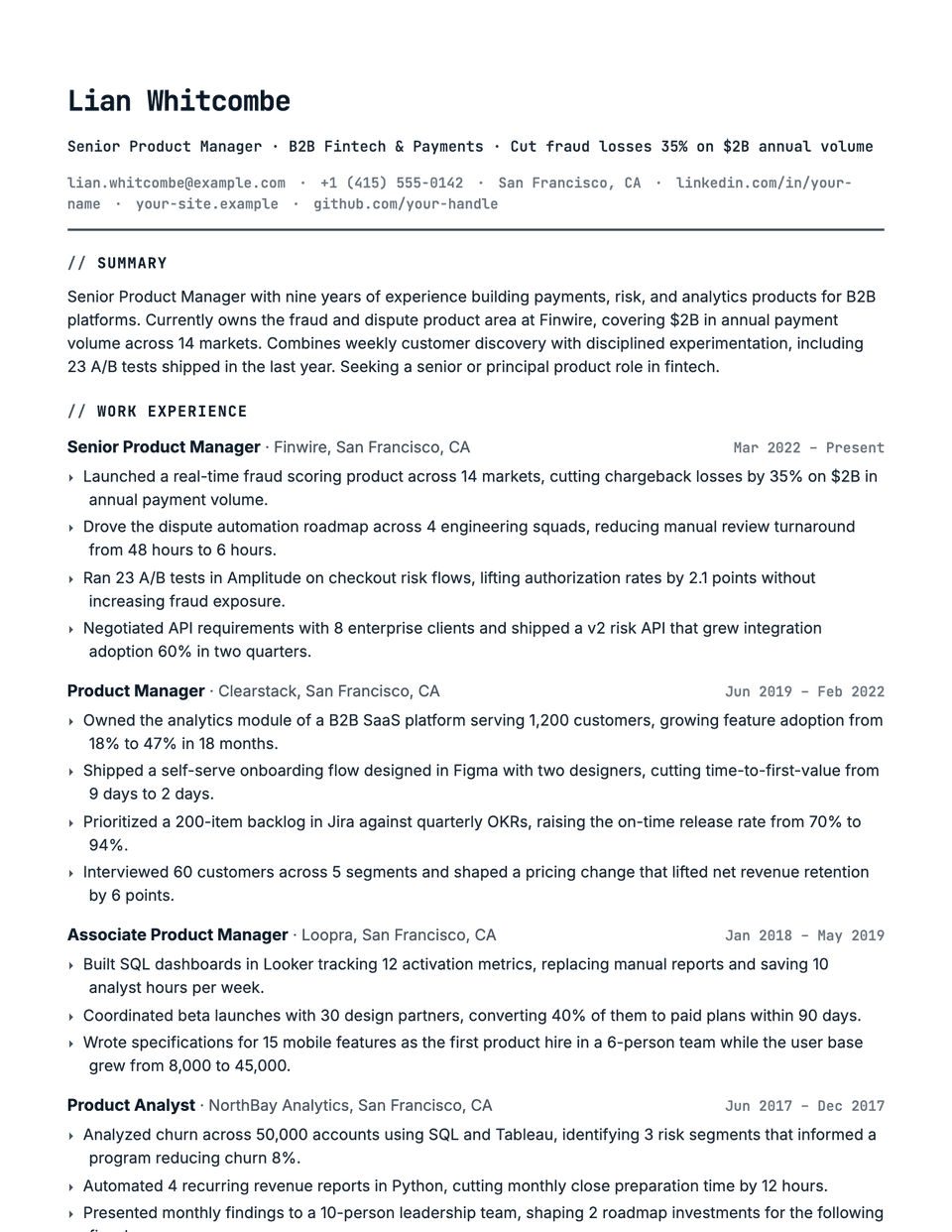
Technical borrows from a code editor without becoming a gimmick. Your name, headline, contact line and section titles are set in JetBrains Mono, each heading starts with a // comment marker in the accent color, and bullets use a small arrow. Body text is Inter, so long bullets stay easy to read.
Free to edit and download. Have a resume already? Check it first, then open it in Technical without retyping.
Who it's for
- Software engineers
- Data engineers and data scientists
- DevOps and SRE
- QA and security engineers
Is the Technical template ATS-friendly?
Single column. The // before each heading and the arrow bullets are decorative prefixes; the heading words themselves stay standard (Experience, Skills), which is what parsers look for.
Accent colors
Starts in Evergreen. Pick any of these in the editor's Design panel, or enter your own color.
Template details
- Layout
- Single column
- ATS
- ATS-safe: standard headings, real text
- Style group
- Specialized
- Default accent
- Evergreen (changeable)
- Page size
- US Letter or A4
- Download
- PDF or DOCX
Resume examples written in Technical
Each one is a full sample resume set in this layout. Open one to read it, then start from it in the editor.
Similar templates
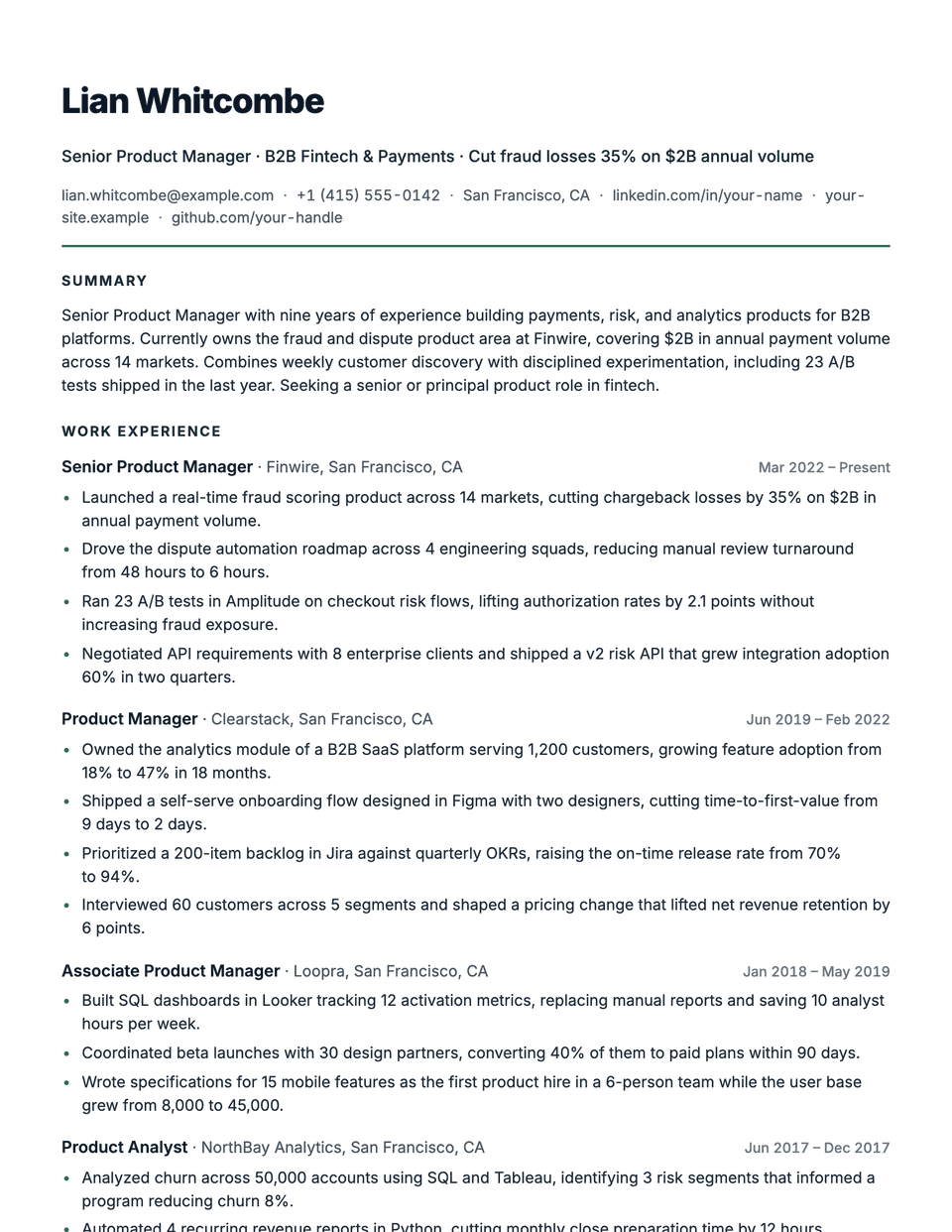
All resume templates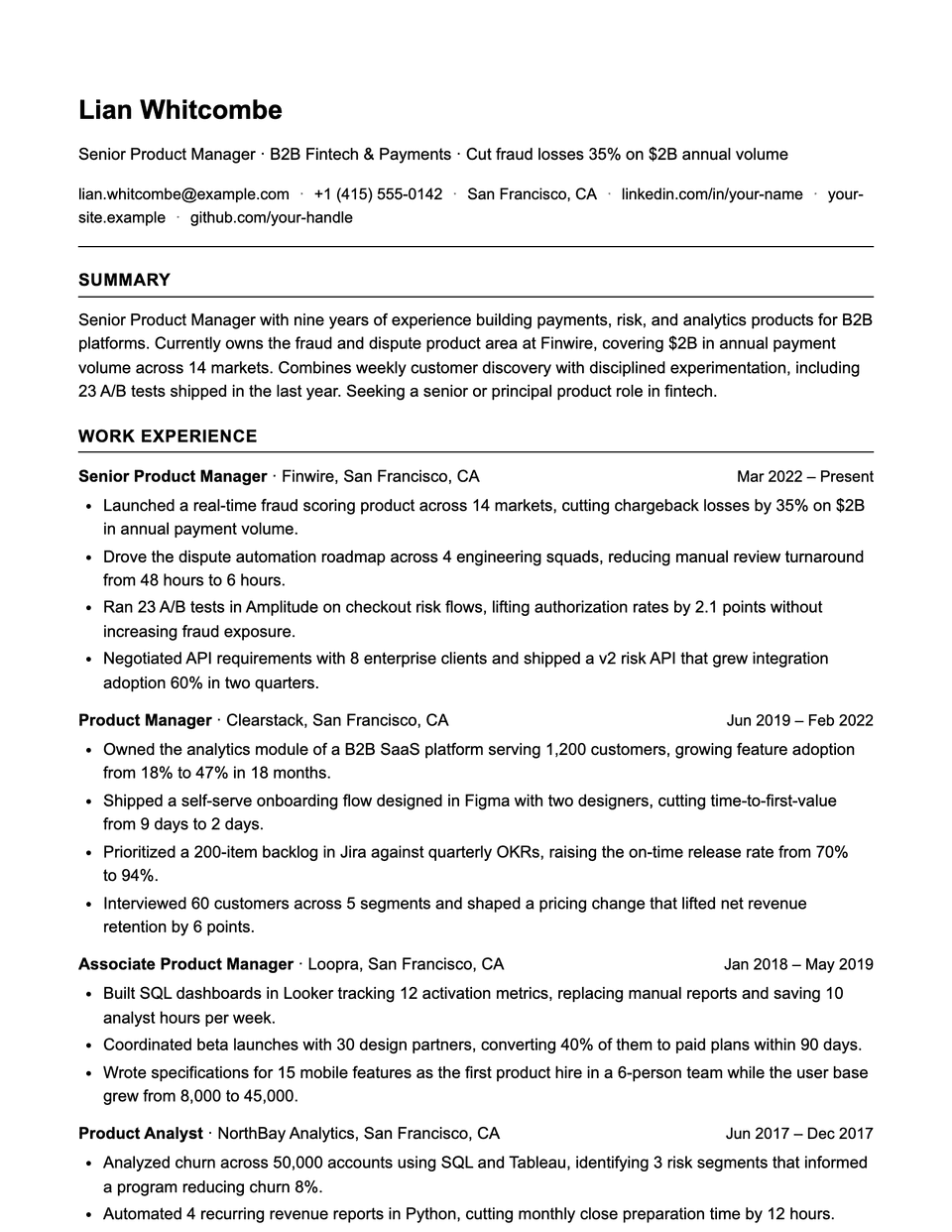
Technical template questions
Will a monospace font look odd to recruiters?
Only the header, headings and dates are monospace. Bullets and the summary use Inter, a regular sans, so the page reads normally.
Technical or Matrix?
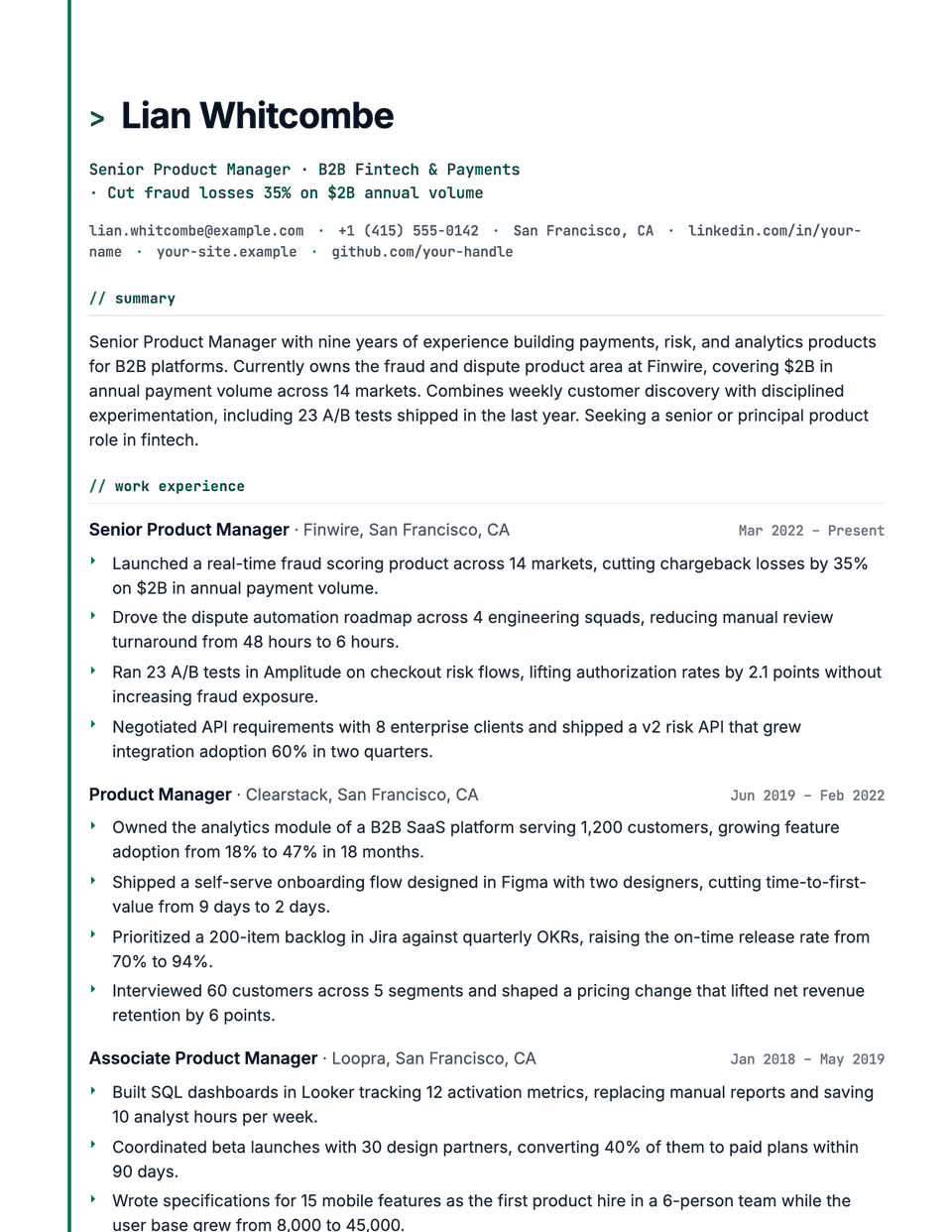
Matrix goes further, with a > before your name, lowercase headings and an accent rail down the page. Technical is the quieter of the two.
Related pages
Give your resume the Technical look
Open it in the editor with your details, or check the resume you already have first.