Monarch resume template
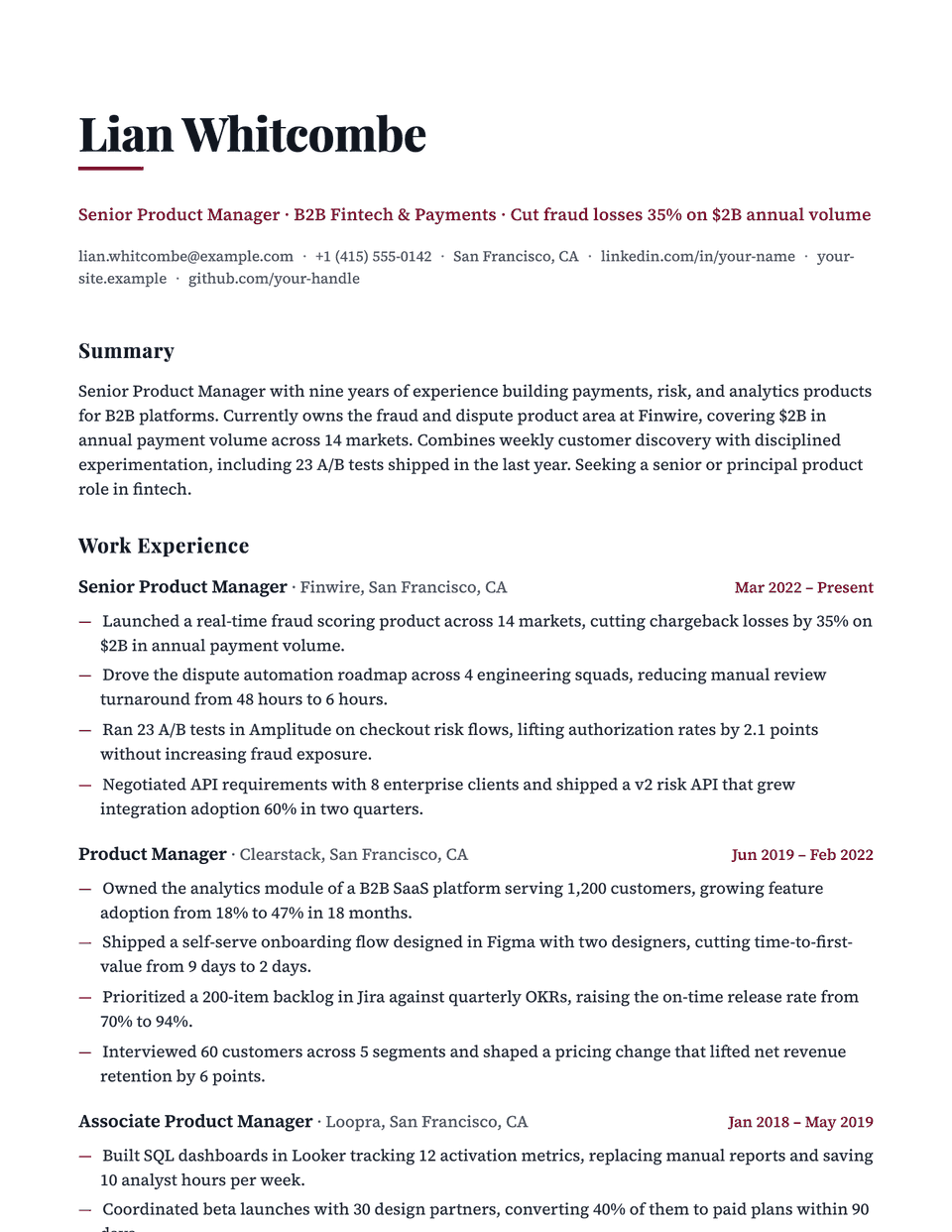
Monarch makes a statement at the top: a heavy Playfair Display name with a short, thick accent bar underneath, and serif section titles to match. The body switches to Source Serif 4 for comfortable reading, and bullets use an em dash. It is editorial and confident rather than traditional.
Free to edit and download. Have a resume already? Check it first, then open it in Monarch without retyping.
Who it's for
- Creative directors
- Executives in media and brand
- Founders
- Senior roles where presence matters
Is the Monarch template ATS-friendly?
Single column with real-text headings. The short accent bar under your name is a border, and the body text is Source Serif 4.
Accent colors
Starts in Burgundy. Pick any of these in the editor's Design panel, or enter your own color.
Template details
- Layout
- Single column
- ATS
- ATS-safe: standard headings, real text
- Style group
- Classic
- Default accent
- Burgundy (changeable)
- Page size
- US Letter or A4
- Download
- PDF or DOCX
See it with real content
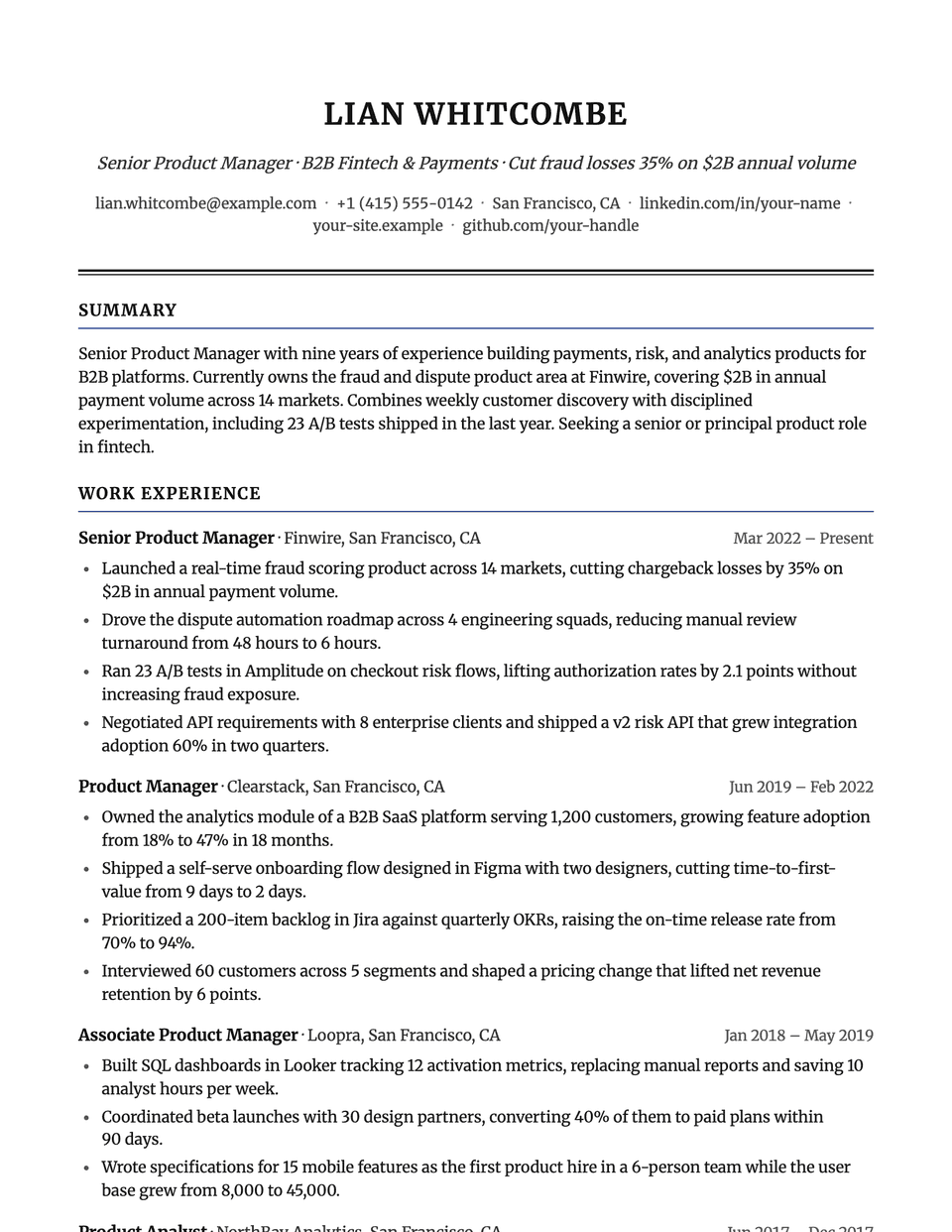
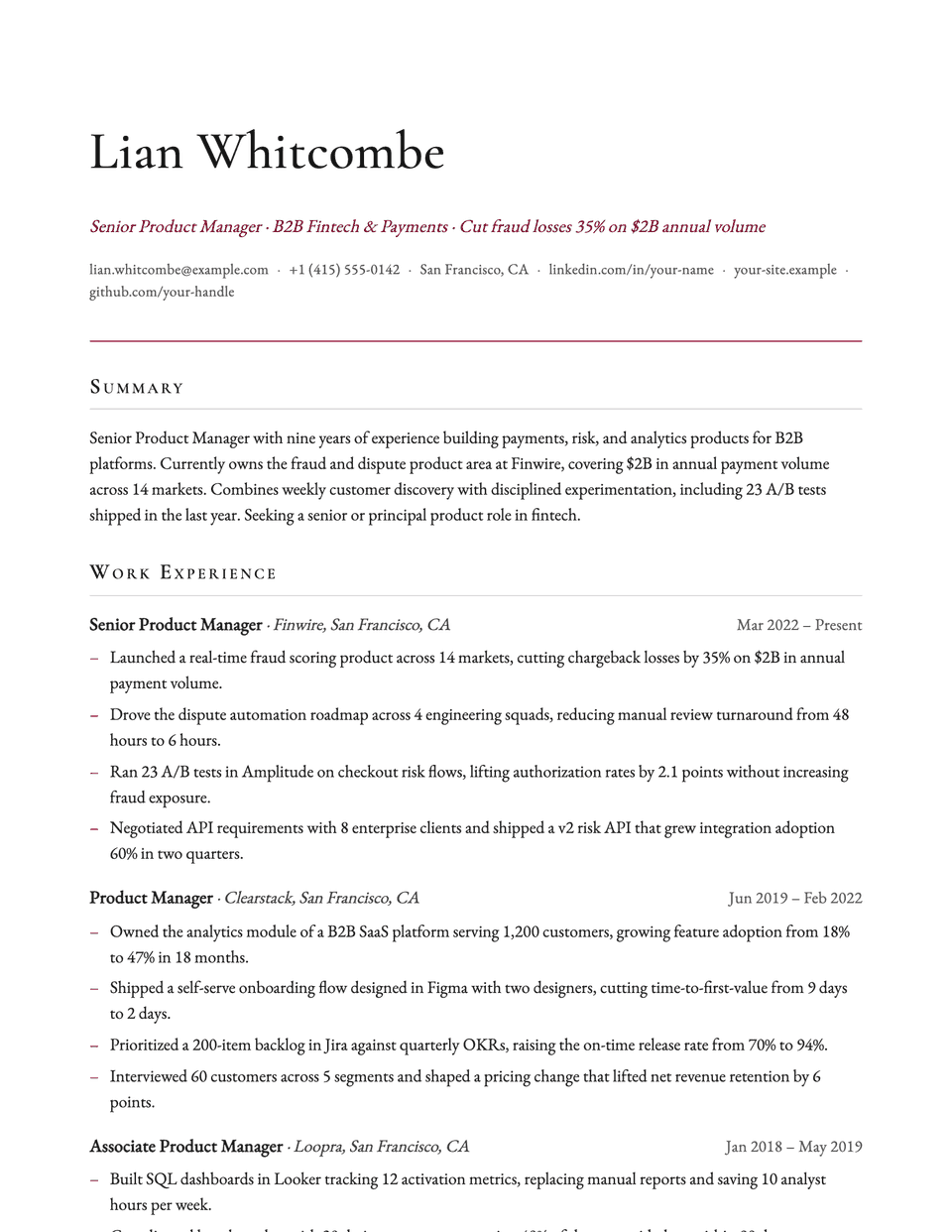
No sample resume is set in Monarch yet. These examples use a layout from the same style group, and any of them opens in Monarch with one click in the editor.
Similar templates
All resume templates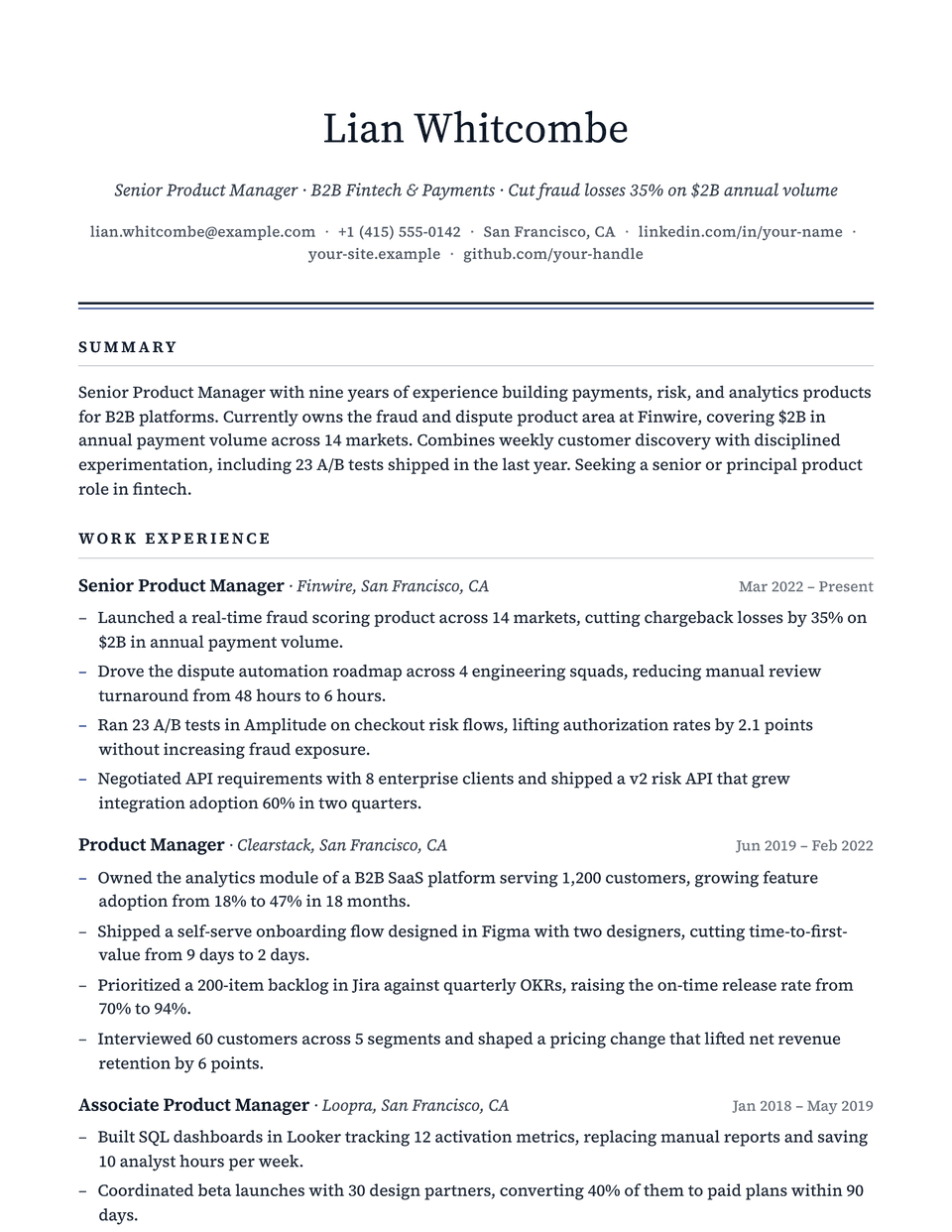
Monarch template questions
Is a display serif readable for a whole page?
Only your name and the headings use Playfair Display. The body is Source Serif 4, a serif designed for reading at text sizes.
Monarch or Bold?
Both give the name presence. Monarch does it with a serif and reads as editorial; Bold uses a heavy sans and reads as more direct.
Related pages
Give your resume the Monarch look
Open it in the editor with your details, or check the resume you already have first.