Consul resume template
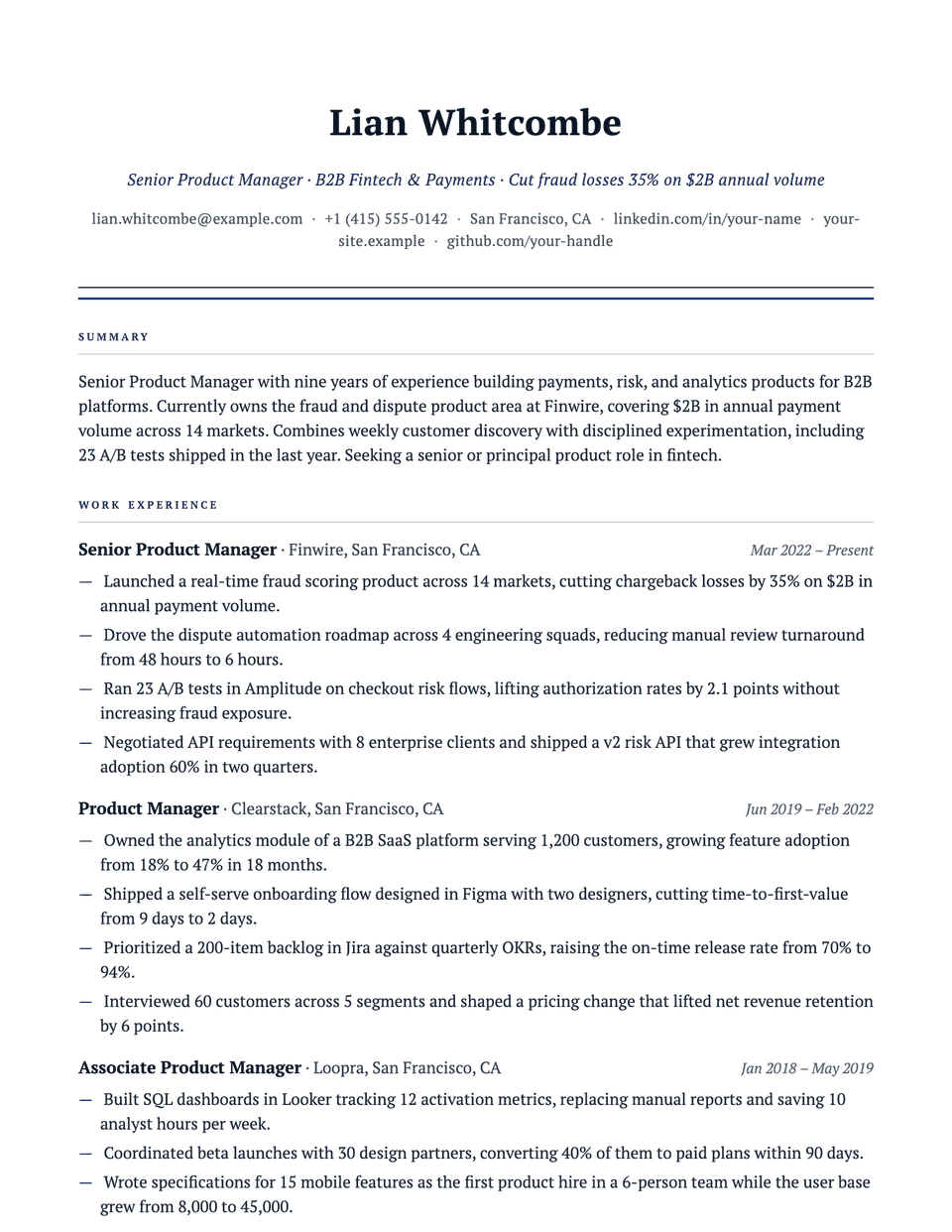
Consul is modeled on the formal letterheads common in consulting. Your name is centered in bold PT Serif with an italic headline beneath it, a thin ink rule and a thicker accent rule close the header, and section titles are small caps in the accent color. Bullets use an em dash, which keeps the dense, results-first style of a consulting resume tidy.
Free to edit and download. Have a resume already? Check it first, then open it in Consul without retyping.
Who it's for
- Management consulting
- Strategy and corporate development
- Investment banking
- MBA applications
Is the Consul template ATS-friendly?
Single column, standard headings and real text. The rules under the header are borders, not an image, and the small caps are a font style.
Accent colors
Starts in Navy. Pick any of these in the editor's Design panel, or enter your own color.
Template details
- Layout
- Single column
- ATS
- ATS-safe: standard headings, real text
- Style group
- Classic
- Default accent
- Navy (changeable)
- Page size
- US Letter or A4
- Download
- PDF or DOCX
See it with real content
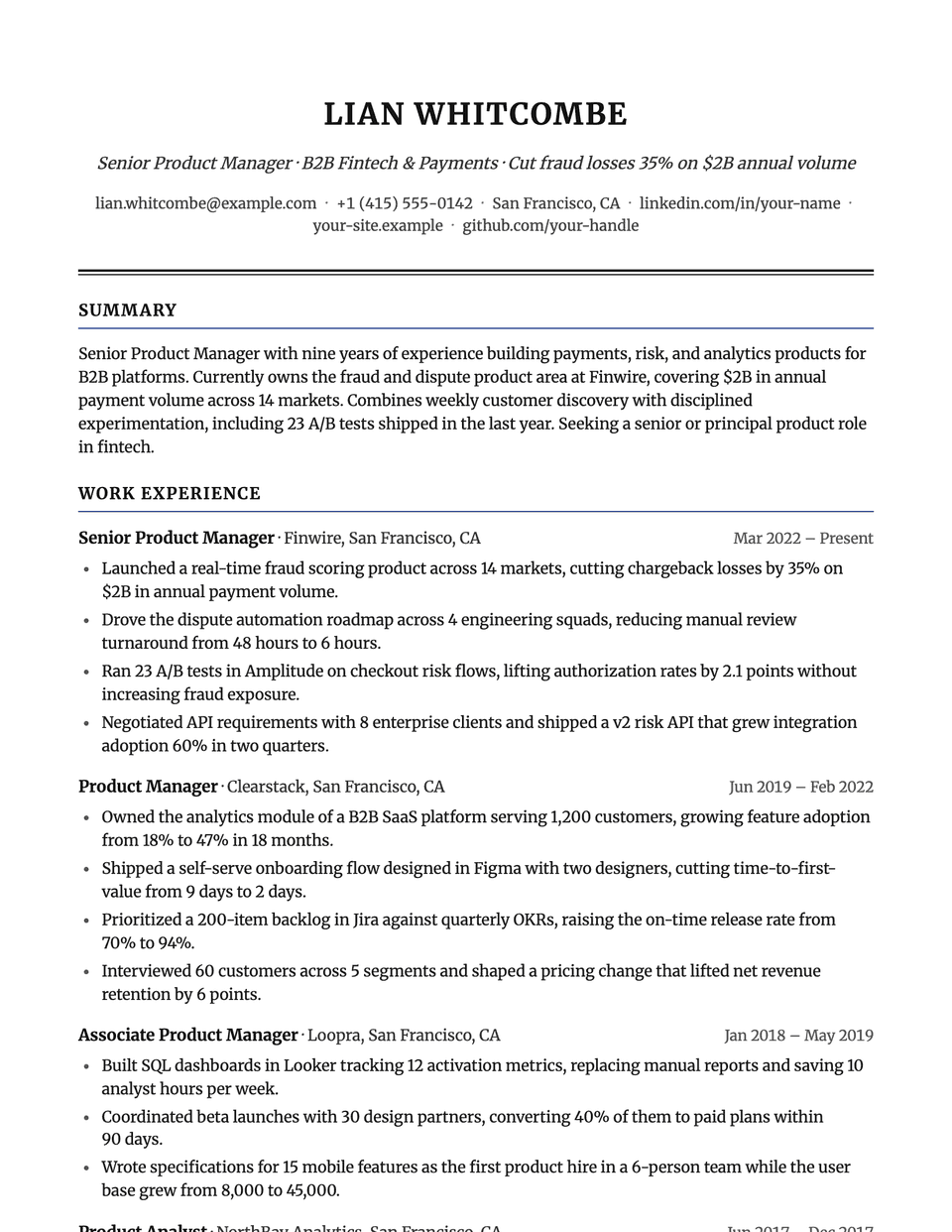
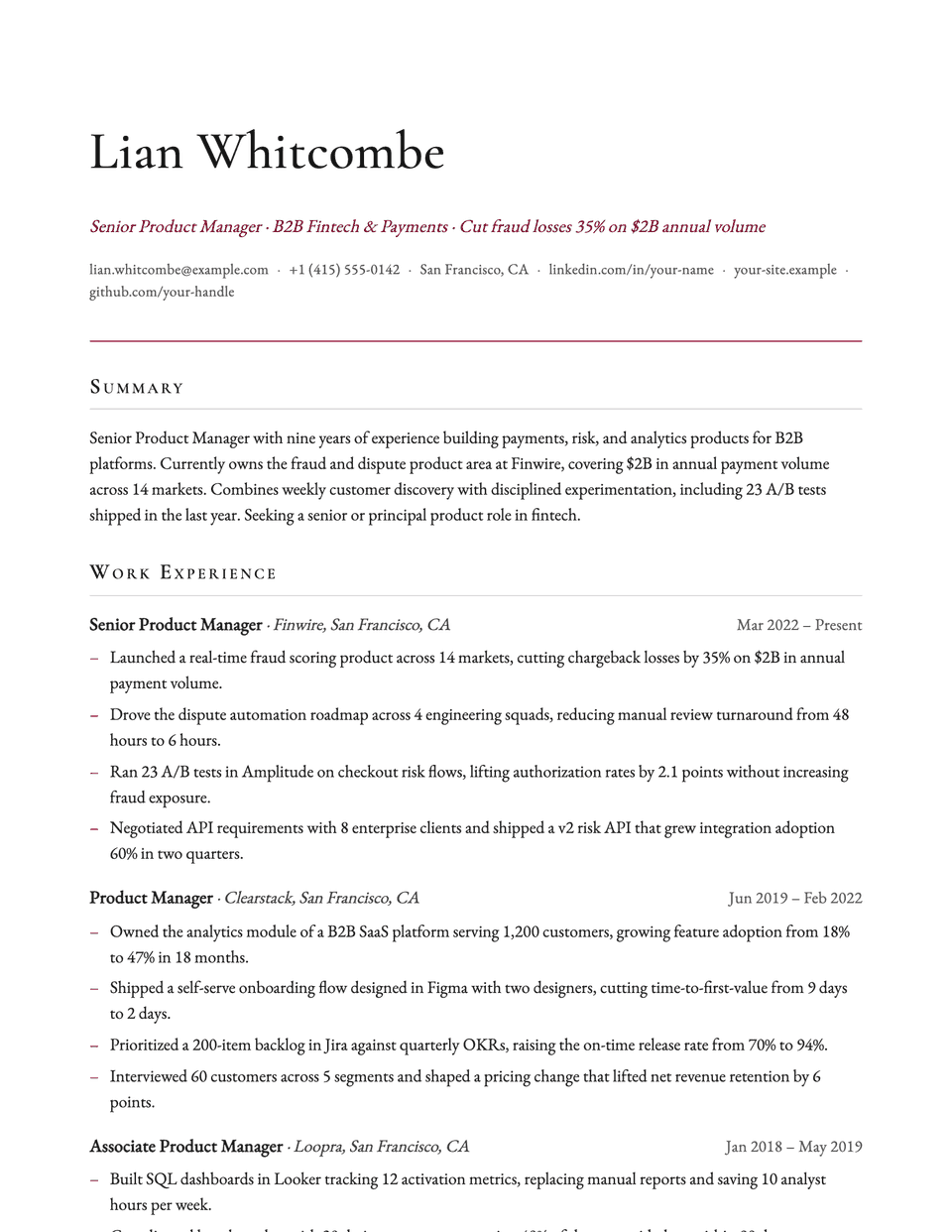
No sample resume is set in Consul yet. These examples use a layout from the same style group, and any of them opens in Consul with one click in the editor.
Similar templates
All resume templates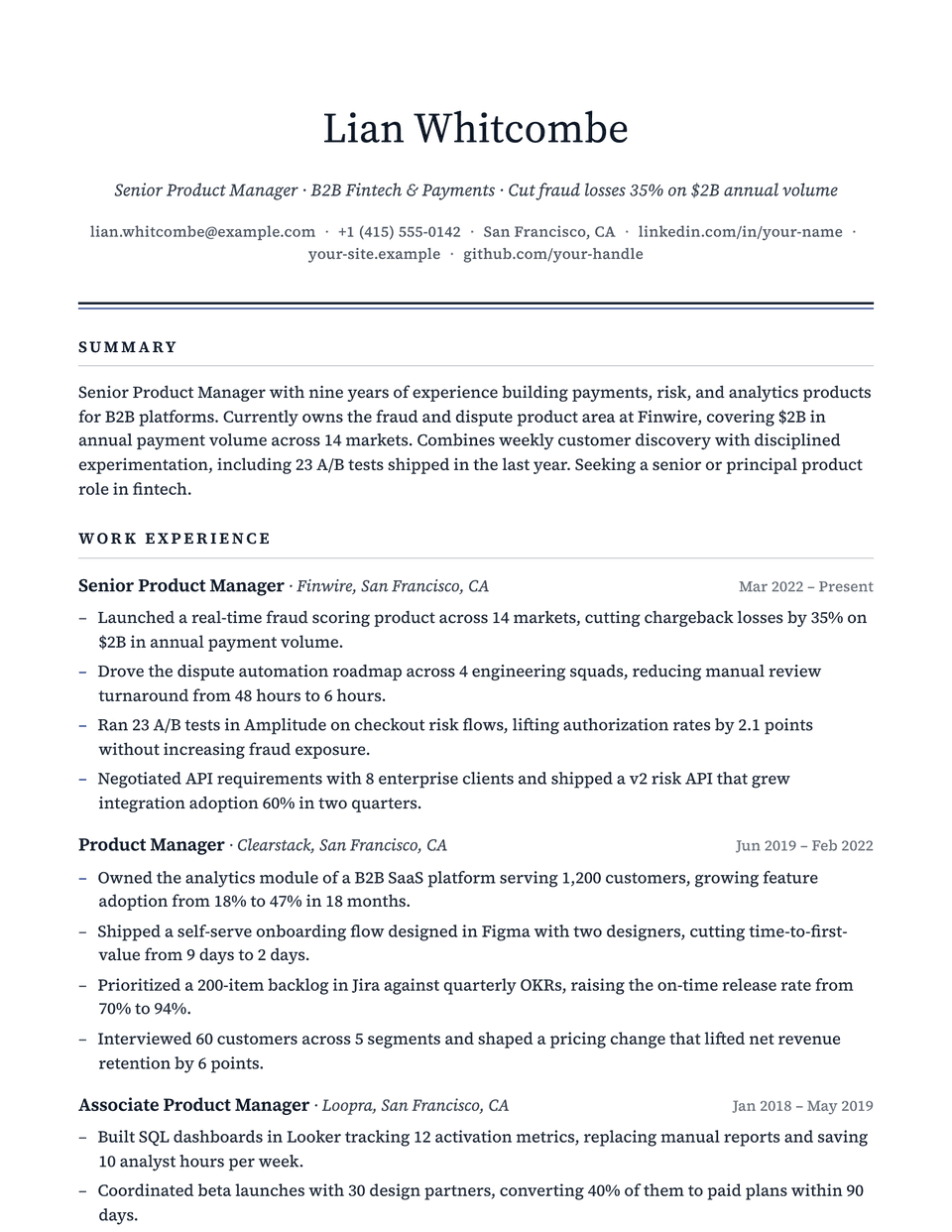
Consul template questions
Does Consul fit a one-page consulting resume?
Yes. Its 0.7 inch margins and moderate spacing suit the one-page format most consulting firms ask for. Keep bullets to one or two lines each.
Consul or Executive?
Both have a centered serif header and an italic headline. Consul is more formal, with a bold name and small-caps headings in the accent color; Executive uses a regular-weight name and dark, spaced capitals.
Related pages
Give your resume the Consul look
Open it in the editor with your details, or check the resume you already have first.