Creative resume template
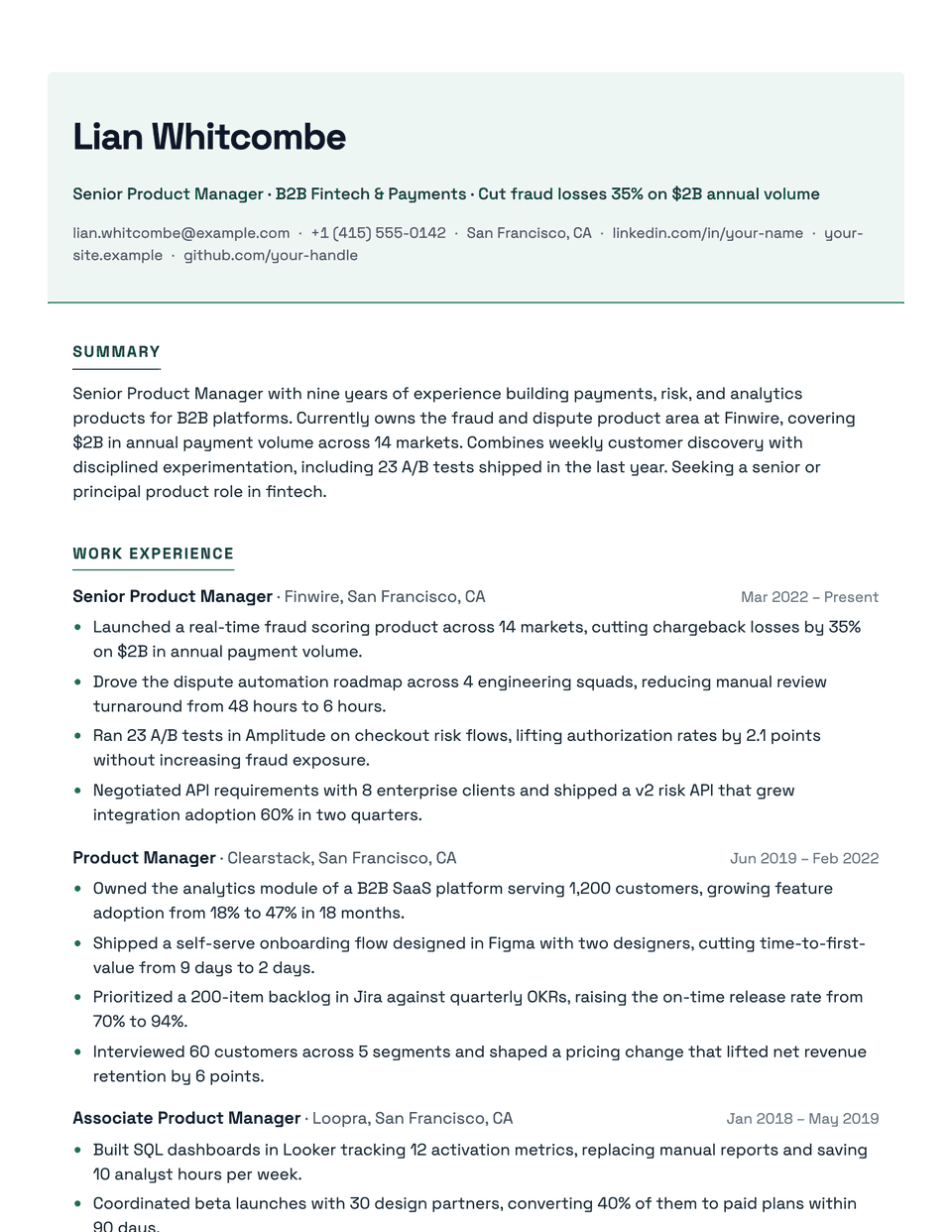
Creative wraps your name and contact line in a softly tinted band with an accent border, then uses Space Grotesk, a geometric sans with character, for the rest of the page. Section titles are accent capitals with a short underline. It gives a creative application some color without the multi-column tricks that confuse parsers.
Free to edit and download. Have a resume already? Check it first, then open it in Creative without retyping.
Who it's for
- Marketing and content
- Creative and brand roles
- Social media and community
- Junior designers
Is the Creative template ATS-friendly?
Personality comes from color, not structure: the header band is a tinted background behind real text, and the page stays one column with standard headings.
Accent colors
Starts in Emerald. Pick any of these in the editor's Design panel, or enter your own color.
Template details
- Layout
- Single column
- ATS
- ATS-safe: standard headings, real text
- Style group
- Creative
- Default accent
- Emerald (changeable)
- Page size
- US Letter or A4
- Download
- PDF or DOCX
Resume examples written in Creative
Each one is a full sample resume set in this layout. Open one to read it, then start from it in the editor.
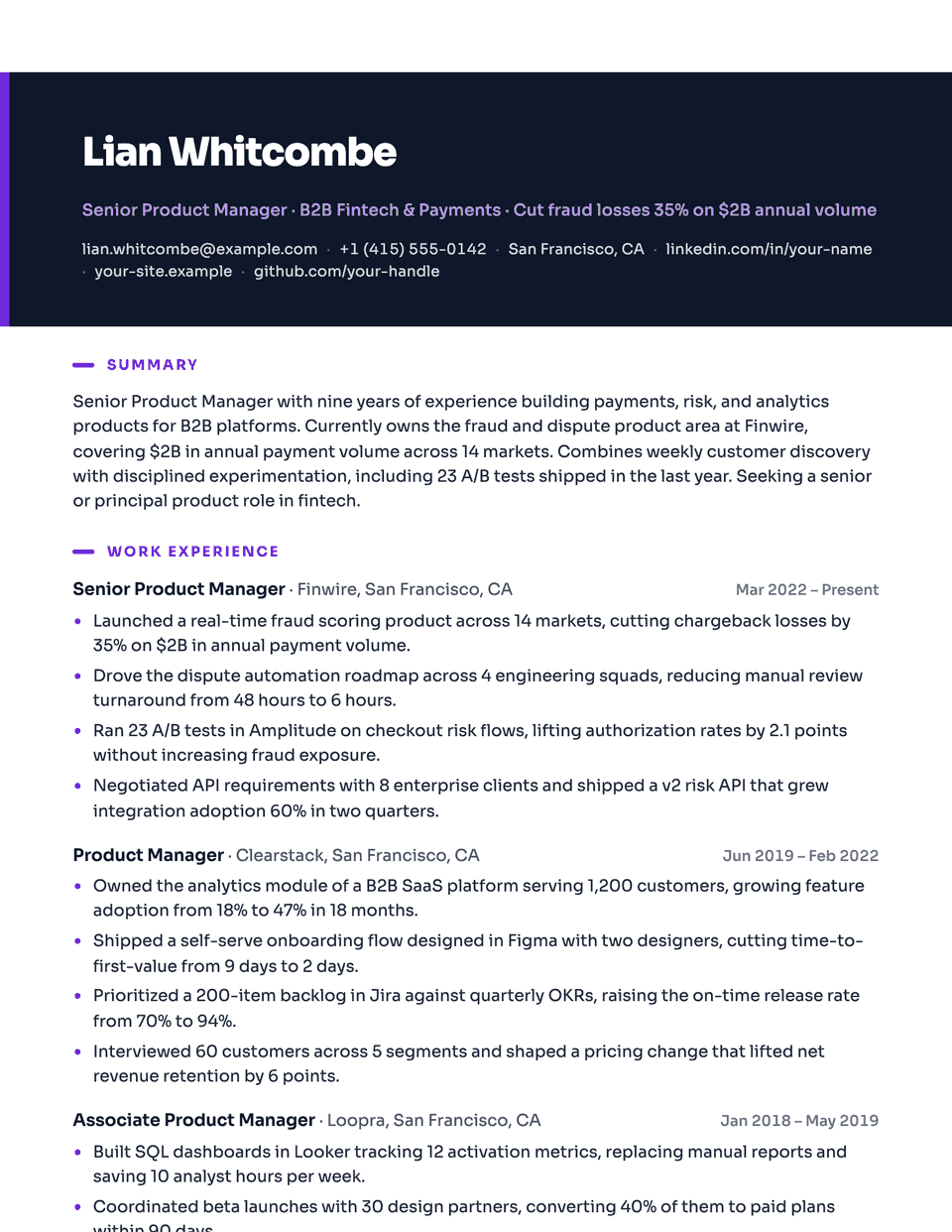
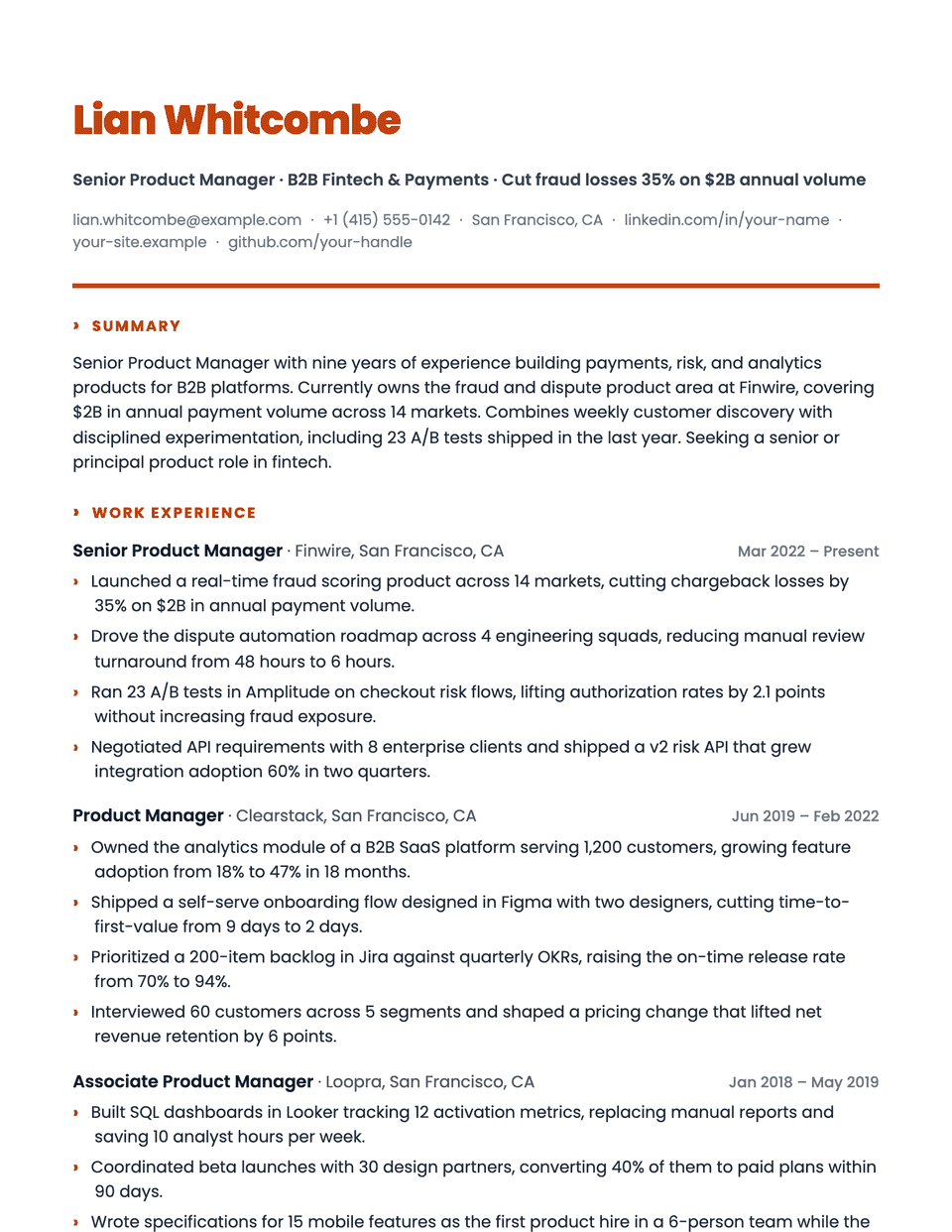
Similar templates
All resume templates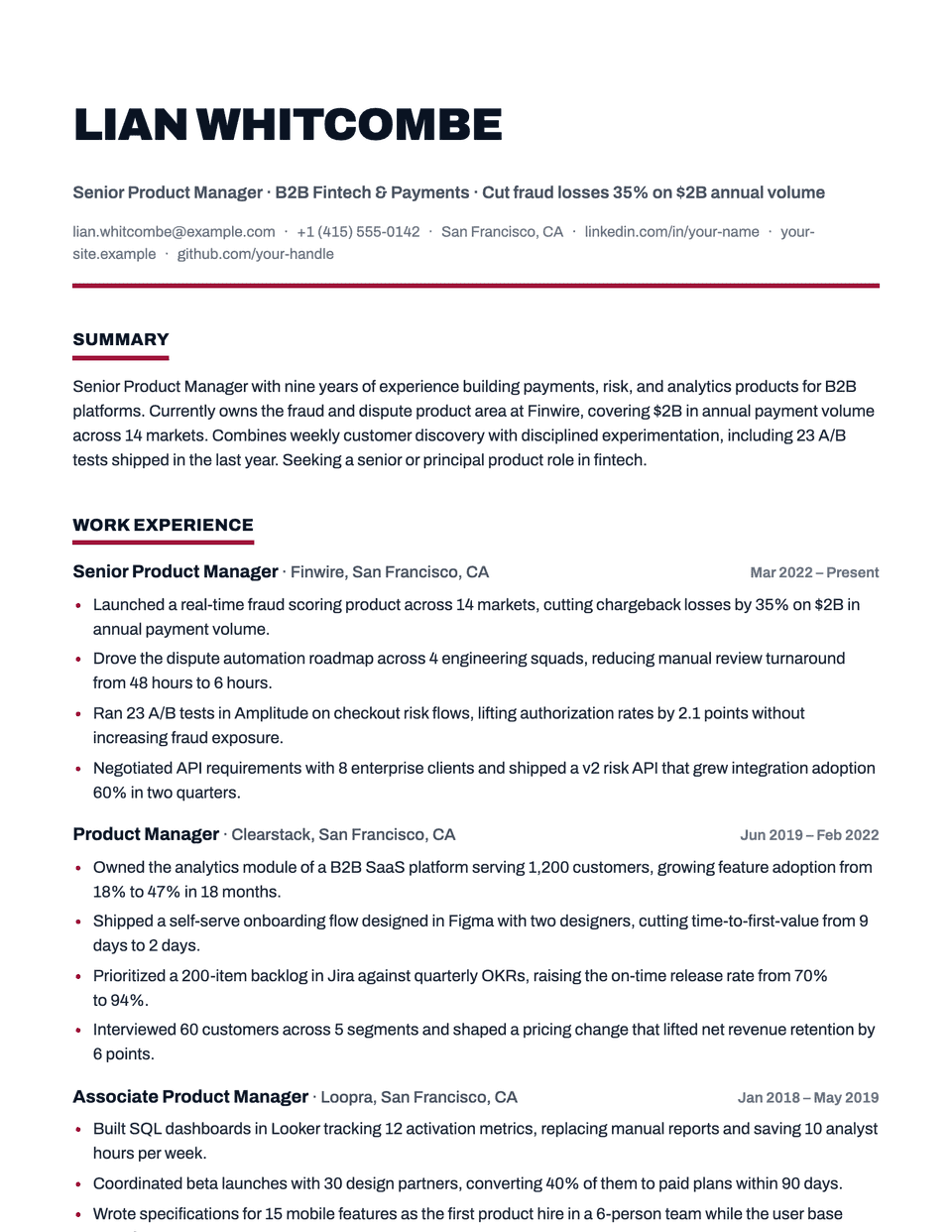
Creative template questions
Is Creative ATS-safe even with the colored header?
Yes. The color is a background behind normal text. The name, contact details and headings are all selectable text in one column.
Which accent colors work best?
The default is emerald. Any mid-tone accent works; very light colors make the headings harder to read.
Related pages
Give your resume the Creative look
Open it in the editor with your details, or check the resume you already have first.