Timeline resume template
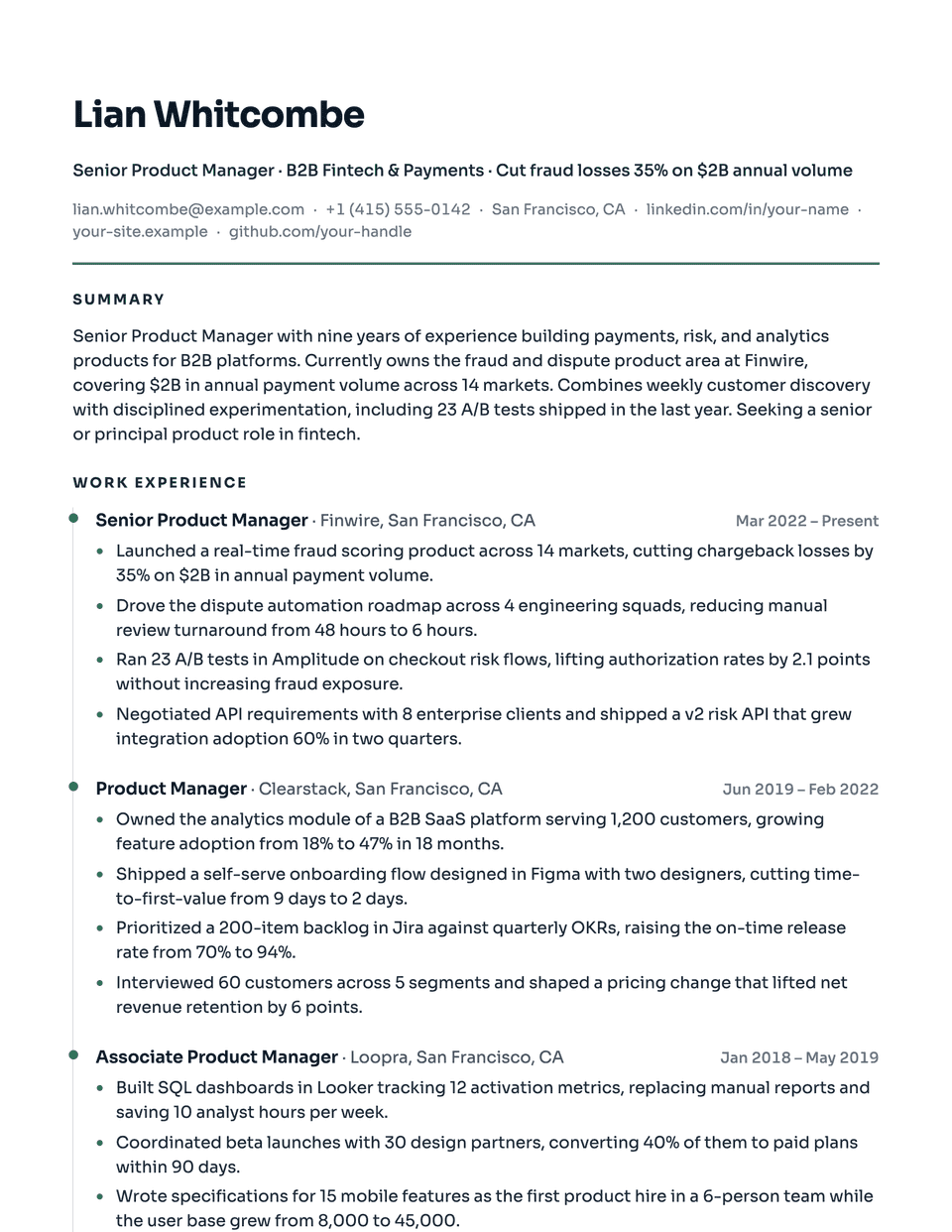
Timeline turns your work history into a visual path. Each role hangs off a thin vertical rail with an accent dot, so promotions and moves read as one continuous line. Sora, a geometric sans, keeps the page modern, and accent section titles tie it together.
Free to edit and download. Have a resume already? Check it first, then open it in Timeline without retyping.
Who it's for
- Steady promotions at one employer
- Career progression stories
- Project and program managers
- Mid-career professionals
Is the Timeline template ATS-friendly?
Single column. The rail and dots are drawn by the stylesheet beside each entry; the job titles, companies and dates stay ordinary text in reading order.
Accent colors
Starts in Evergreen. Pick any of these in the editor's Design panel, or enter your own color.
Template details
- Layout
- Single column
- ATS
- ATS-safe: standard headings, real text
- Style group
- Modern
- Default accent
- Evergreen (changeable)
- Page size
- US Letter or A4
- Download
- PDF or DOCX
See it with real content
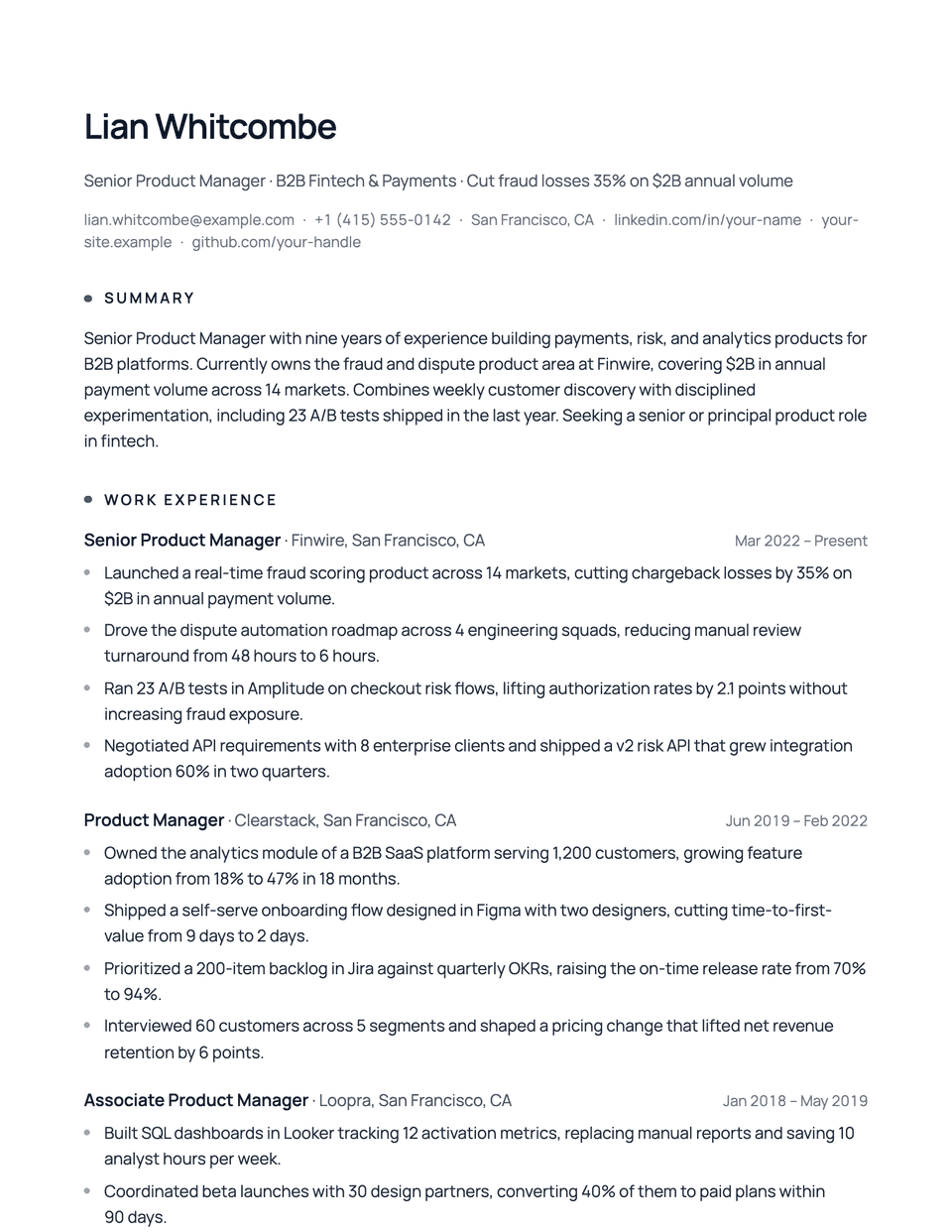
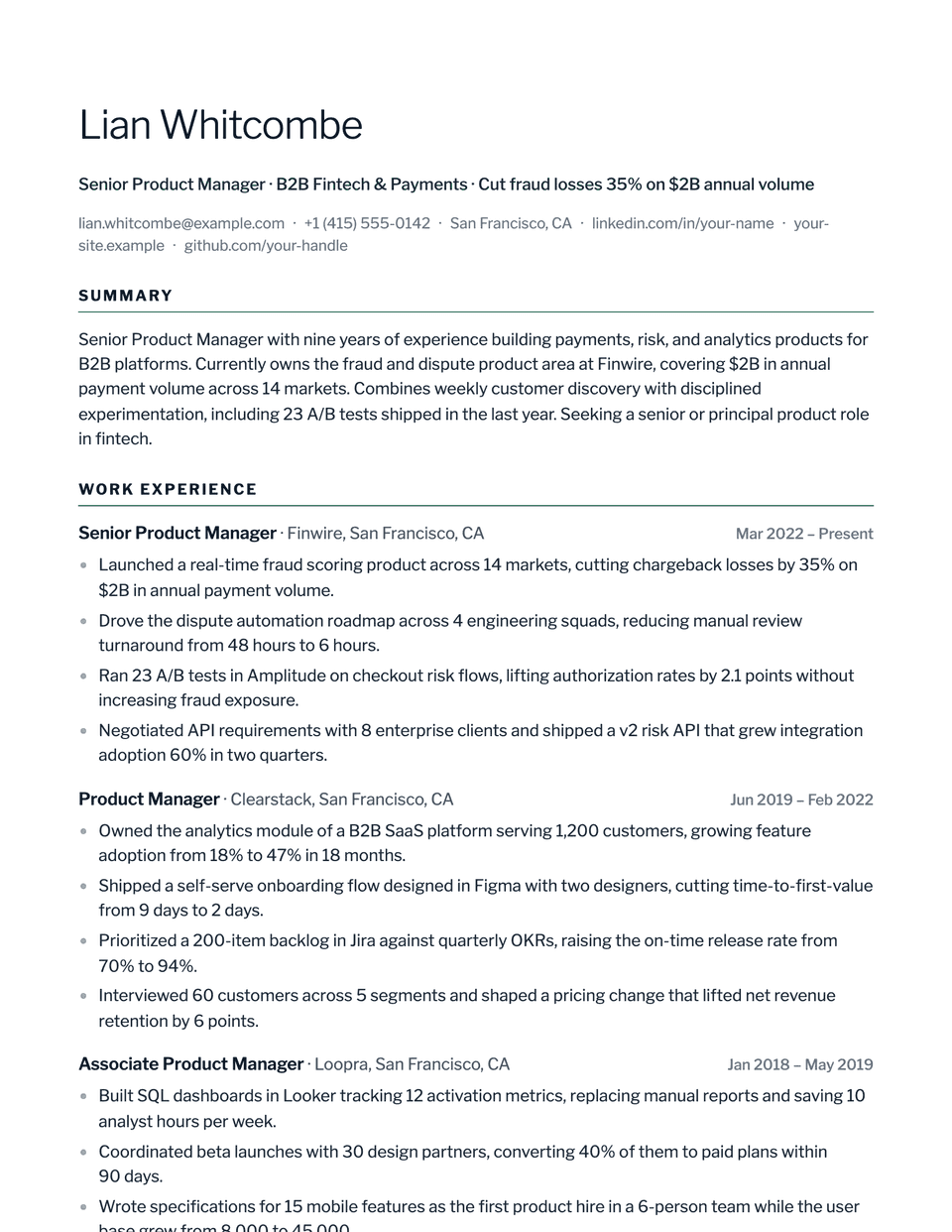
No sample resume is set in Timeline yet. These examples use a layout from the same style group, and any of them opens in Timeline with one click in the editor.
Similar templates
All resume templates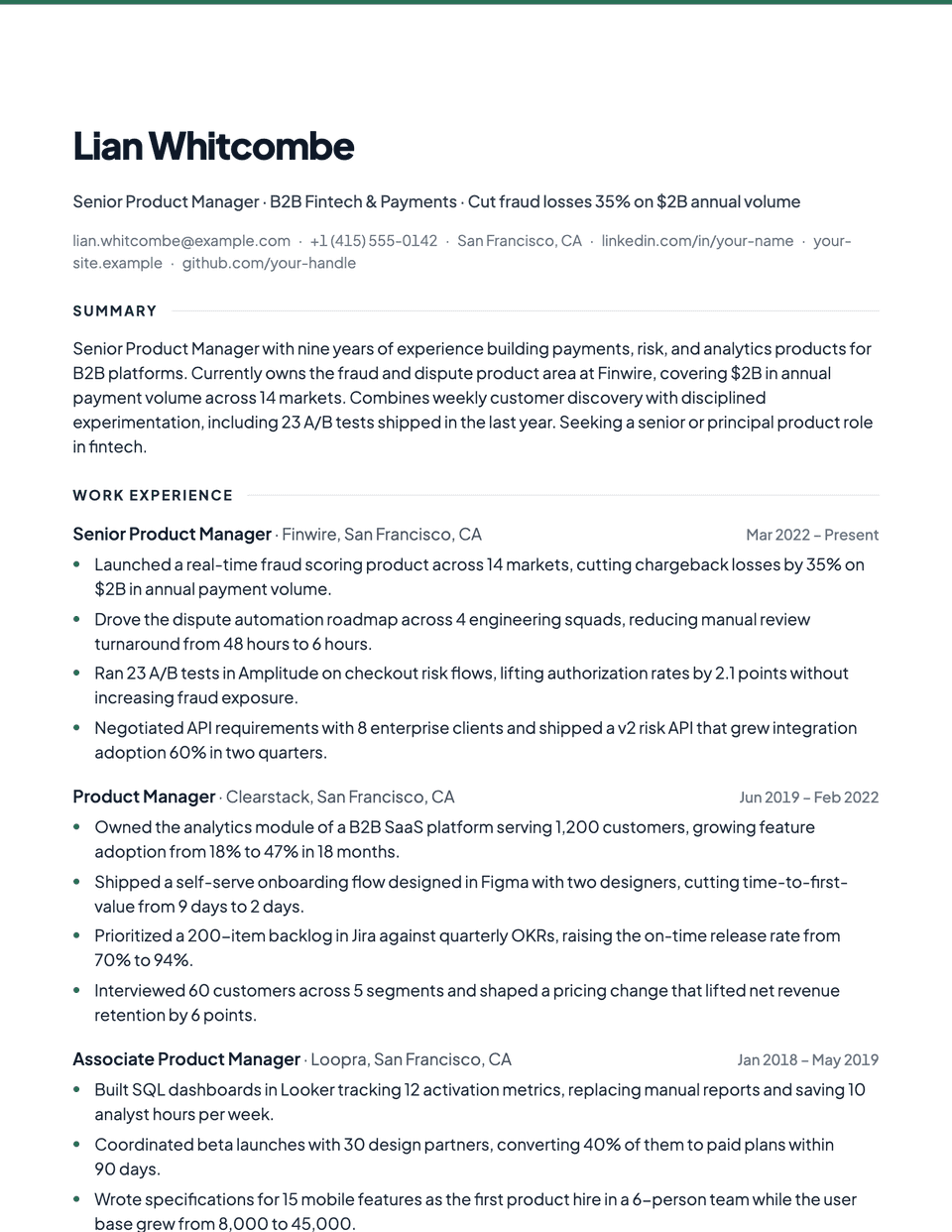
Timeline template questions
Is Timeline good if I have gaps?
A continuous rail makes gaps easier to notice. If you have a long break, a layout without the rail, such as Contemporary, keeps the focus on the roles themselves.
Do the dots affect parsing?
No. They are decoration beside each entry, and the text around them is in normal reading order.
Related pages
Give your resume the Timeline look
Open it in the editor with your details, or check the resume you already have first.