Cobalt resume template
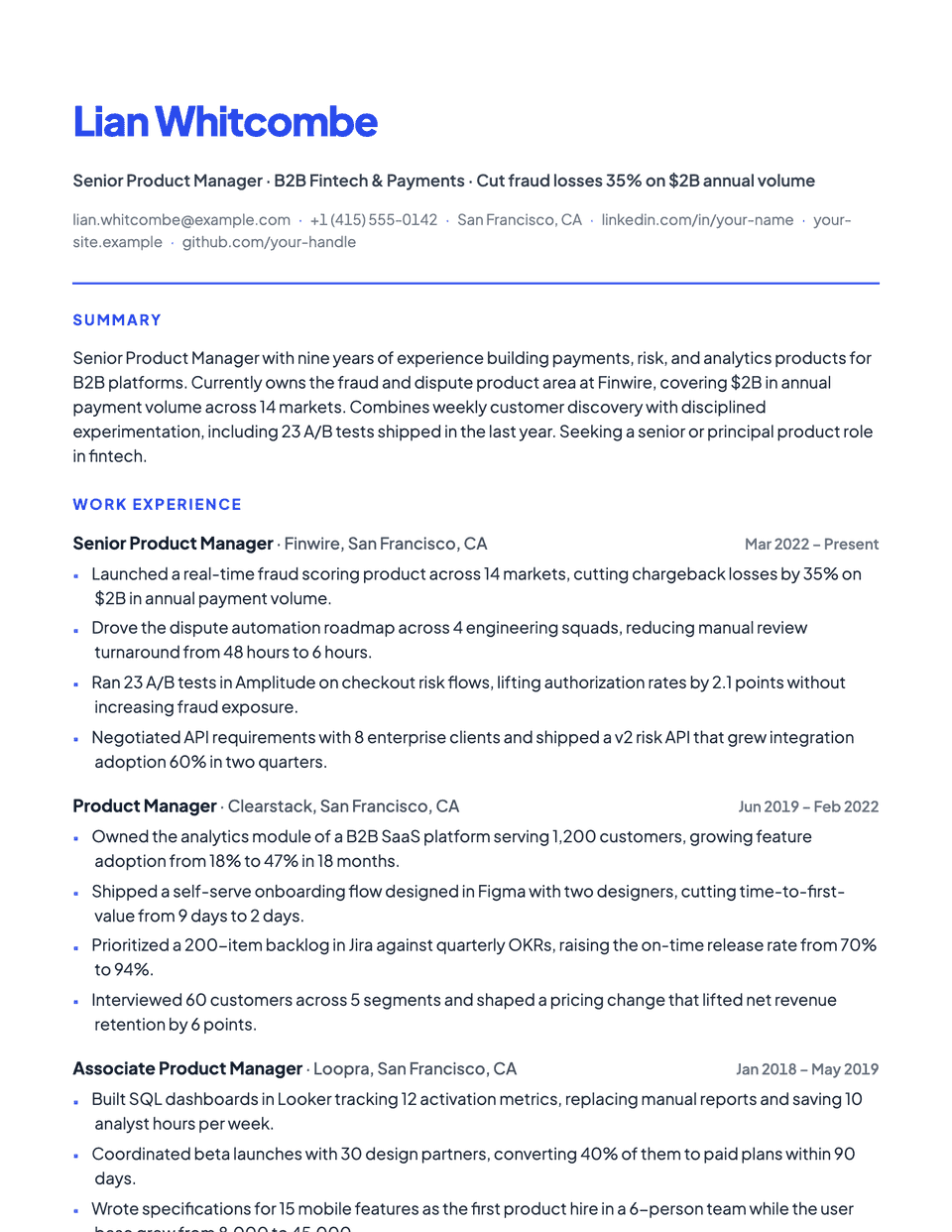
Cobalt puts your brand color front and center. The name is set large in the accent color, a thick accent rule divides the header, and headings and square bullets pick up the same color. Plus Jakarta Sans keeps the page modern. Pick a darker accent if you print in grayscale.
Free to edit and download. Have a resume already? Check it first, then open it in Cobalt without retyping.
Who it's for
- Marketing and growth
- Sales and partnerships
- Customer success
- Candidates with a personal brand color
Is the Cobalt template ATS-friendly?
Single column with standard headings. The color is applied to text and borders only; nothing is an image or a table.
Accent colors
Starts in Indigo. Pick any of these in the editor's Design panel, or enter your own color.
Template details
- Layout
- Single column
- ATS
- ATS-safe: standard headings, real text
- Style group
- Modern
- Default accent
- Indigo (changeable)
- Page size
- US Letter or A4
- Download
- PDF or DOCX
See it with real content
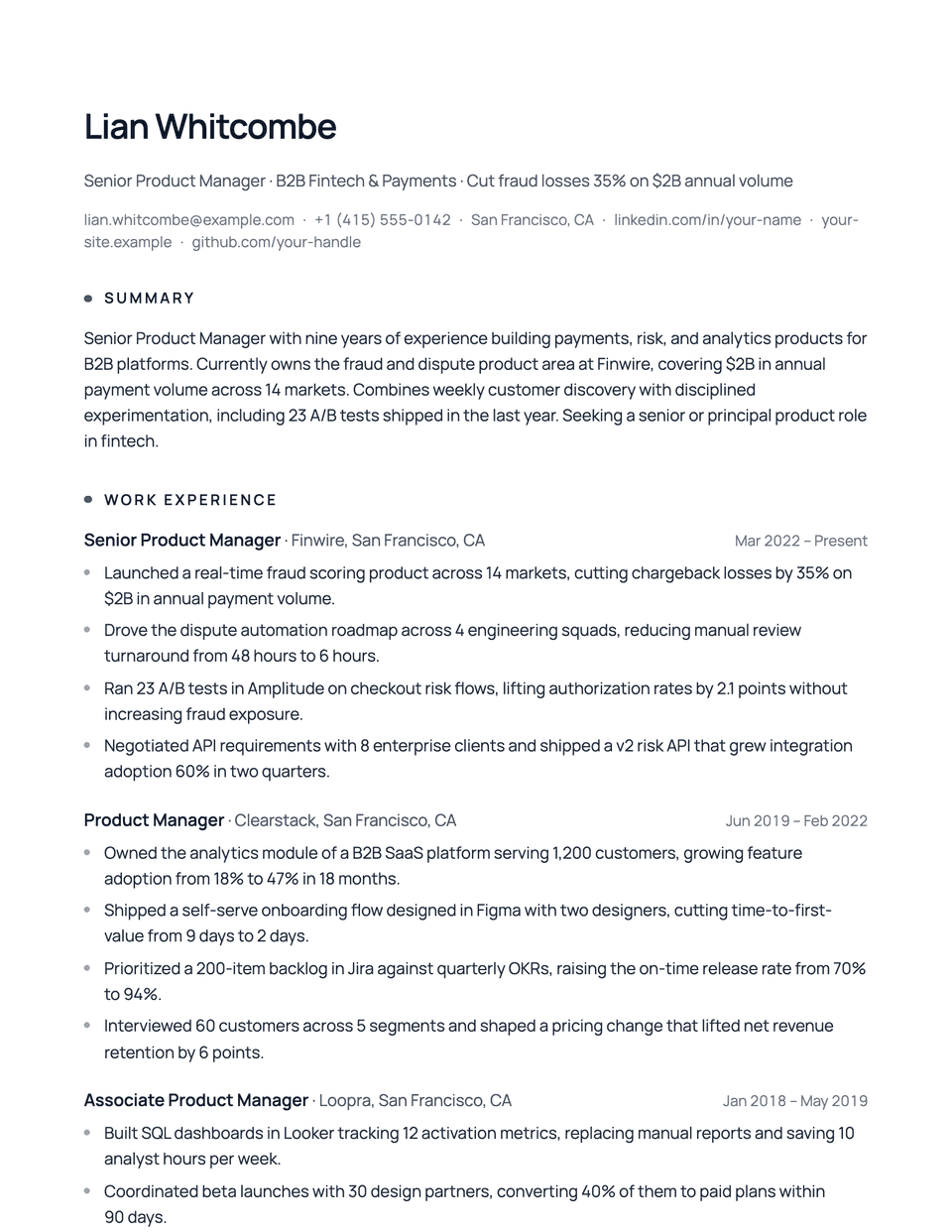
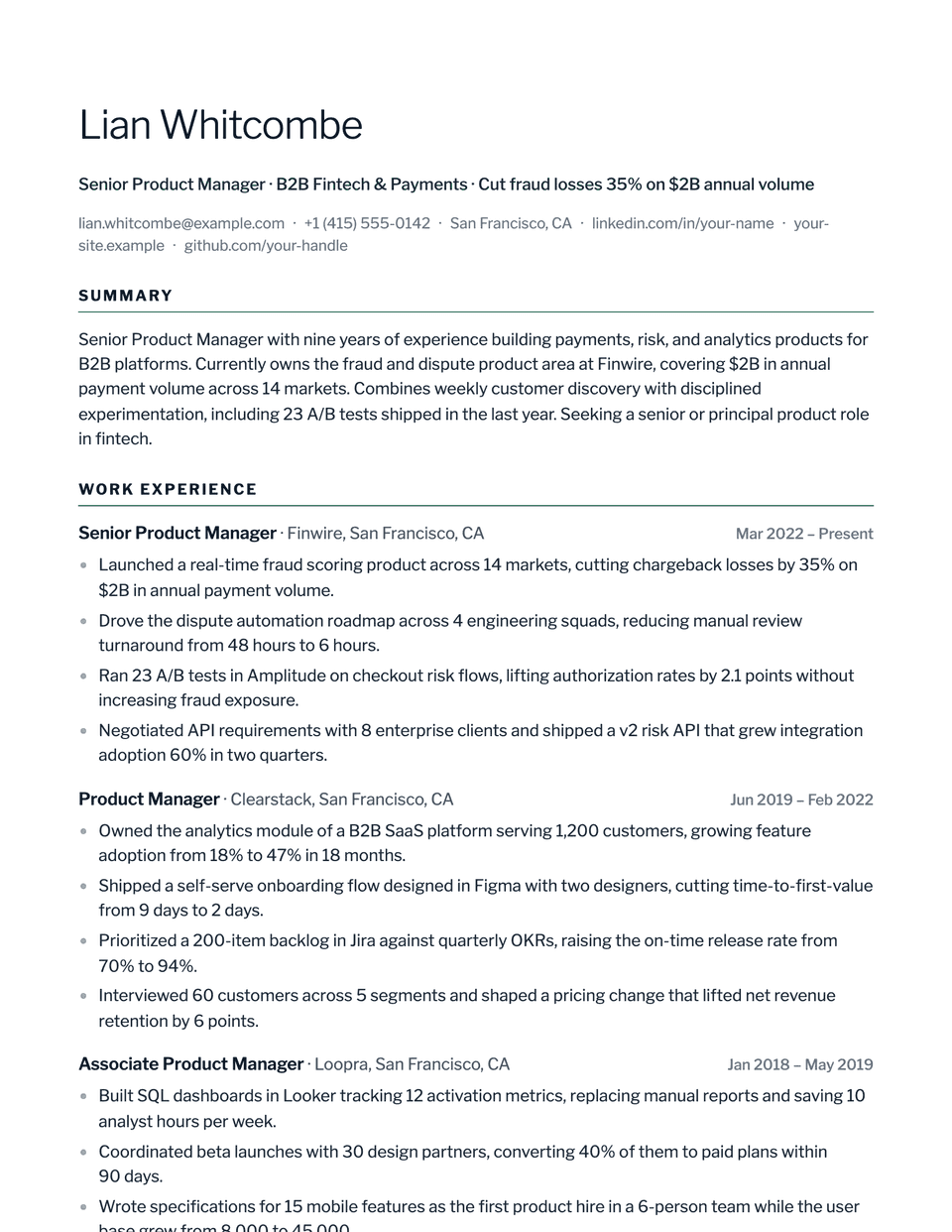
No sample resume is set in Cobalt yet. These examples use a layout from the same style group, and any of them opens in Cobalt with one click in the editor.
Similar templates
All resume templates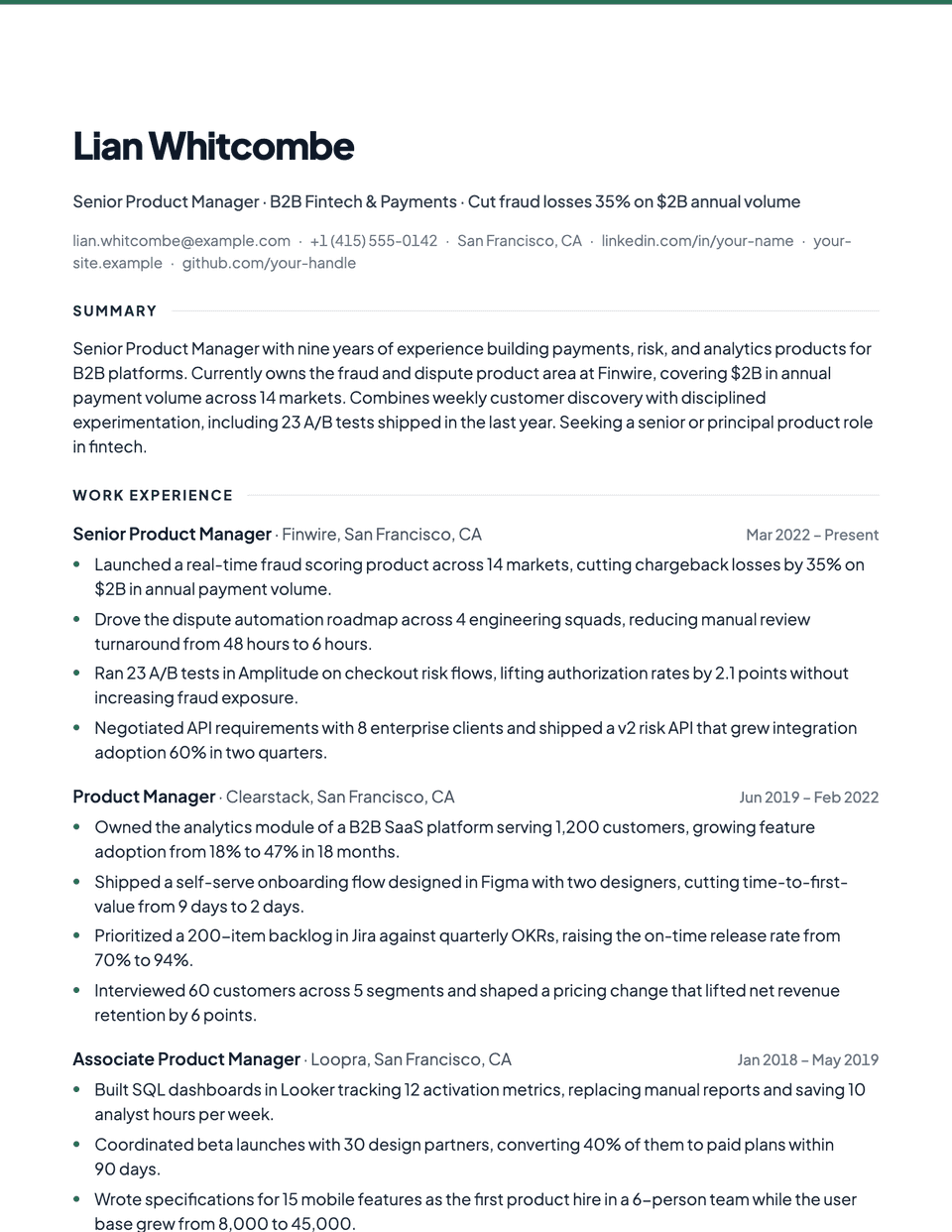
Cobalt template questions
Can I use my own brand color?
Yes. Enter any hex value in the Design panel and Cobalt uses it for the name, rules, headings and bullets.
Is colored text a problem for an ATS?
No. Parsers read text regardless of color. Very light colors can be hard for people to read, so keep enough contrast.
Related pages
Give your resume the Cobalt look
Open it in the editor with your details, or check the resume you already have first.